Axe-con is a digital accessibility conference that took place virtually February 20-22, 2024. Over 75 experts from companies such as Adobe, ADP, Amazon, GitHub, Hilton, HSBC, PNC, Proctor and Gamble, Ubisoft, and more shared their expertise on what it takes to build and expand upon digital accessibility efforts in this rapidly expanding space.

During the conference, developers, designers, business executives, and accessibility professionals from 158 countries expressed the demand for efficient, simple, and practical digital accessibility testing practices to help ensure a more accessible digital experience for all, including people with disabilities.

“The community response we see during axe-con is truly heartwarming and energizing. In a profession that is susceptible to burnout, events like this remind us about the positive difference we’re making and that there are tens of thousands of others working toward the same goal. It gets better every year.” – Glenda Sims, Chief Information Accessibility Officer, Deque Systems.

New to axe-con this year were “Watch Parties,” where local event organizers from around the globe assembled groups ranging from 3 to 150 to watch live and recorded sessions together, followed by a lively discussion. Gareth Ford Williams attended at HSBC UK in London and reflected on his experience: “Today was absolutely brilliant. Connecting out with your community again at something like this and finding out all these great ideas and great energy that’s happening. It’s just great.”

This year’s axe-con speakers emphasized the role of human-centric and ethical AI in digital accessibility. Evident in talks like Dr. Rumman Chowdhury’s “Responsible and Ethical AI“ and “Human-Centered AI and Accessibility” with Preety Kumar and Dylan Barrell, as well as “How AI will help us re-invent accessibility, lower industry load, and cover more disabilities.” with Gregg Vanderheiden.

“We want to make digital accessibility easy and ubiquitous. That is a serious endeavor and we have to make sure AI helps. Doing so in a responsible manner means having “humans in the loop” including people with disabilities.” – Preety Kumar, CEO, Deque Systems

We made several new announcements during axe-con this week:

  1. Axe Awards at axe-con 2024
  2. Deque University is offering early access to a new AI tool and automated consultant, axe Adviser.
  3. Deque Adds New Appium Plugin to axe DevTools Mobile

This year’s axe awards recognized individuals and organizations making important contributions to the world of accessibility. Winners included HSBC UK, Google and GitHub, and Jennison Asuncion, who received the annual Jim Thatcher Lifetime Achievement Award. These people and organizations raise the bar for inclusion everywhere. We’re proud to showcase their achievements and encourage others to follow their lead.

In addition, axe-con attendees and organizers are working to support NV Access, a nonprofit supporting the NVDA screen reader application, and Black Girls Code, a nonprofit supporting young women of color to embrace programming and technology.

Couldn’t tune into axe-con live? Registrants can view sessions on demand at: https://www.deque.com/axe-con/

Deque Systems

Deque Systems

Deque is the global leader in digital accessibility, helping the world’s top enterprises build inclusive products, services, and experiences and achieve lasting compliance. Recognized by leading industry analysts for its AI-powered tools, comprehensive services, and developer-trusted solutions, Deque delivers the industry’s most complete accessibility offering. The Axe platform, anchored by Axe-core, has more than 3 billion downloads and 875,000 installed extensions, making it the global standard for accessibility testing. As a pioneer of people-first accessibility, Deque applies a human-in-the-loop approach that blends expert insight with AI innovation to advance its mission of digital equality for all.

Tags:  Accessibility news

Get started with support for Image View Name, Active Control Name, Touch Target Size, Label in Name, and Label at Front – with more on the way.

Deque’s axe DevTools Mobile team is pleased to announce a new Appium plugin that works for any app–native or cross-platform–and doesn’t require embedded Deque code in your app. After the simple install, just add one line of code in your Appium tests wherever you’d like to take a scan for accessibility. Unlike other tools, it works with any Appium-supported client, too.

Before this axe DevTools Mobile release, Appium support was only provided for native iOS and Android apps. The new plugin provides much easier installation and functionality across platforms, not just native. Use the plugin to scan your native iOS or Android app, or cross-platform apps, such as React Native, Flutter, and .NET MAUI.

This initial release tests for five (5) accessibility rules including:

  • Image View Name – Focusable image elements provide an accessible name, WCAG 2.0 1.1.1 A
  • Active Control Name – Buttons provide an accessible name, WCAG 2.0 4.1.2 A
  • Touch Target Size – Buttons have a minimum of 44pt by 44pt visual and tappable area, WCAG 2.1 2.5.5 AAA
  • Label in Name – Accessibility focusable buttons have their name included in their visible label, WCAG 2.1 2.5.3 A
  • Label at Front – Visible text of a button is at the start of the button’s accessible name, WCAG 2.1 2.5.3 Best Practice

For many mobile developers, Appium is a preferred choice for automation. Its flexible, cross-platform format saves time and creates reusable code. With the new plugin, users can integrate Appium tests directly into their mobile pipeline to streamline and automate the process.

Together with the axe DevTools Mobile Analyzer, users can find and fix many digital accessibility issues for mobile quickly and easily. Going forward, this plugin will be our new way to test your mobile apps with Appium. The current Appium testing methodology with embedded code will be phased out. Stay tuned for even more innovation.

Read the full release notes to learn more about this new plugin.

Start a free trial today and we’ll keep you updated as we add new rules and functionality.

About Deque Systems

Deque (pronounced dee-cue) is a digital accessibility software and services company, and our mission is Digital Equality. We believe everyone, regardless of their ability, should have equal access to the information, services, applications, and everything else on the web. We work with enterprise-level businesses and organizations to ensure that their sites and mobile apps are accessible. Installed in over 475,000 browsers and with over 5,000 audit projects completed, Deque is the industry standard.

Axe ® is a registered trademark of Deque Systems, Inc.

News Media Contacts

At Deque:
Ryan Bateman, +1-703-225-0380, marketing@deque.com

At Deque Europe:
Ron Beenen, +31 6 28 26 78 54, ron.beenen@deque.com

At Deque APAC & MENA:
Abin Roy Choudhury, +91 9000189666, abin.choudhury@deque.com

Deque Systems

Deque Systems

Deque is the global leader in digital accessibility, helping the world’s top enterprises build inclusive products, services, and experiences and achieve lasting compliance. Recognized by leading industry analysts for its AI-powered tools, comprehensive services, and developer-trusted solutions, Deque delivers the industry’s most complete accessibility offering. The Axe platform, anchored by Axe-core, has more than 3 billion downloads and 875,000 installed extensions, making it the global standard for accessibility testing. As a pioneer of people-first accessibility, Deque applies a human-in-the-loop approach that blends expert insight with AI innovation to advance its mission of digital equality for all.

The theme of axe-con is building accessible experiences. The conference’s mission is not just focused on bringing together the accessibility community and providing free content but on highlighting the organizations that are leaders in the field.

2024 is the fourth annual axe Awards, named after a well-known Deque open-source project called axe-core. We are proud to announce this year’s winners of the axe awards below so they are recognized for their outstanding work in accessibility. Please join us and the rest of the accessibility community in celebrating their efforts and advancements.

HSBC UK – Accessibility Culture Award

The success of an accessibility program hinges on creating an inclusive culture of accessibility at the organization. This year, we’re recognizing the prominent place that accessibility holds at HSBC UK with the Accessibility Culture Award. Their response is as follows:

We are humbled to be recognised for such a prestigious award and this recognition is a testament to the passion and determination within HSBC to be an organization for everyone irrespective of who they are.

HSBC is on a journey to becoming the world’s most digitally accessible bank. We want to be the bank of choice for disabled and neurodiverse customers and the employer of choice for disabled and neurodiverse staff. We want to make a difference in the communities we are part of and make the world more inclusive for everyone. We are excited about a number of initiatives that we have recently launched such as the Accessibility Hub being made publicly available, an award-winning free online learning platform, as well as our Train 1000 initiative to which over 100 companies globally have now signed up and our apprenticeship scheme specifically for disabled and neurodiverse candidates. At HSBC, we are proud of our progress but recognise we have more to do.

As an organization a culture of inclusion is business as usual for us and we are determined to use our international network, connectivity and brand to leave the world a better place than we found it.

GitHub – Accessibility at Scale Award

Deque is proud to award the 2024 Accessibility at Scale Award to GitHub. GitHub is the global home for all developers where over 100 million people, including developers from 90 of the Fortune 100 companies, build amazing things together across 420+ million repositories. Because of this, GitHub is in a unique position to accelerate accessibility across the technology industry. 

GitHub empowers people with disabilities to develop software and contribute to technologies that drive human progress. From site-wide color contrast improvements for the light and dark themes on github.com and keyboard support for the new global navigation feature to screen reader support for the new code search feature, GitHub consistently removes barriers that may block disabled developers. 

Recognizing that accessibility is not the only means of inclusion, GitHub also amplifies the voices of disabled developers by publishing the Coding Accessibility video series on their accessibility YouTube playlist and articles that feature developers with disabilities on the ReadMe Project. 

Finally, GitHub is redefining the discipline of software development by integrating AI across their platform and the most popular IDEs where developers work. We applaud GitHub for incorporating accessibility into its AI products from the beginning while helping all developers leverage AI to improve accessibility.

“At GitHub, we believe the best way to improve accessibility of technology is to empower people with disabilities to help build it.” – Ed Summers, Head of Accessibility at GitHub

Google – Longstanding Commitment to Accessibility Award

The Longstanding Commitment to Accessibility Award recognizes those organizations whose efforts in the field of accessibility have deep and long-standing roots. This year, the Longstanding Commitment to Accessibility Award goes to Google. Their response is as follows:

On behalf of our teams across Google, we want to express our deepest gratitude for awarding us the “Longstanding Commitment to Accessibility Award.” We are incredibly humbled and honored to receive this recognition.

Accessibility is a core principle and priority at Google, and this award is a wonderful testament to the dedication and passion of our teams across the company to build with and for the disability community. From engineers building inclusive products and features, to designers creating accessible experiences, to researchers pushing the boundaries of what’s possible, and beyond, we are all committed to building a more accessible and equitable world.

“This award is not just a recognition of our past efforts; it serves as fuel that propels us forward. It motivates us to continue innovating and pushing the boundaries of what’s possible in the field of accessibility. We know that there is still work to be done, and we are committed to building a future where everyone can participate and thrive.” – Eve Andersson, Senior Director, Products for All

This award belongs not just to Google, but to the entire accessibility community – the advocates, developers, researchers, and users who continuously work to make technology more inclusive. We will continue to work diligently to make technology more accessible for everyone, including the disability community.

Jim Thatcher Lifetime Achievement Award

In addition to the axe awards, we were proud to announce the Jim Thatcher Lifetime Achievement Award. This award recognizes an individual with an outstanding lifetime achievement in the field of accessibility. For those of you who don’t know, Jim Thatcher was one of the early pioneers of web accessibility on the team at IBM that created the very first screen reader.

This year’s Jim Thatcher award goes to Jennison Asuncion. Jennison Asuncion is the Head of Accessibility Engineering Evangelism at LinkedIn as well as the co-founder of Global Accessibility Awareness Day (GAAD). Asuncion has been working in the field of accessibility since 2006 and has championed major events in the industry such as the Accessibility Camp Toronto and the Accessibility Camp Bay Area. He is also Chair of the Board of Lighthouse for the Blind and Visually Impaired and Vice-Chair of the GAAD Foundation.

Business Insider named Asuncion one of 30 “power players and rising stars” who would help newly appointed LinkedIn CEO Ryan Roslansky lead the company. Furthermore, Asuncion received a Queen Elizabeth II Diamond Jubilee Medal in 2012, which was awarded to those who made “significant contributions” to the country, and the 2018 Stephen Garff Marriott Award from the American Foundation for the Blind. He was also named to Diversability’s inaugural D-30 Disability Impact List in 2020.

Watch Jennison’s response to receiving the Jim Thatcher Lifetime Achievement Award, what inspires him, and a word of encouragement to the accessibility community.

In Summary

There’s no way to commemorate all of the momentous work that organizations around the world are doing in the field of digital accessibility. We hope that this year’s axe Awards showcase the positive momentum that continues to shape the future of the industry.


Deque Systems

Deque Systems

Deque is the global leader in digital accessibility, helping the world’s top enterprises build inclusive products, services, and experiences and achieve lasting compliance. Recognized by leading industry analysts for its AI-powered tools, comprehensive services, and developer-trusted solutions, Deque delivers the industry’s most complete accessibility offering. The Axe platform, anchored by Axe-core, has more than 3 billion downloads and 875,000 installed extensions, making it the global standard for accessibility testing. As a pioneer of people-first accessibility, Deque applies a human-in-the-loop approach that blends expert insight with AI innovation to advance its mission of digital equality for all.

Tags:  news

HERNDON, VA – February 14, 2024 – Deque Systems Inc., the leading provider of web and mobile accessibility solutions, filed a federal lawsuit yesterday against BrowserStack, Inc. and its affiliate companies for copyright infringement, breach of contract and false advertising. Given the scope of the theft, the case has significant ramifications for the accessibility software market and disability community more broadly. The lawsuit was filed in the U.S. District Court for the Eastern District of Virginia.

Deque decided to pursue the case after learning that BrowserStack, a venture-capital-backed company valued at $4 billion, had entered the accessibility testing market in 2023 with a replica of axe DevTools® browser extension, part of Deque’s proprietary accessibility testing product. Similarities between the products reveal that the copying was intentional, pervasive and blatant.

“The facts here are simple: BrowserStack engineers licensed our axe DevTools® browser extension, accessed our code, blatantly copied it into their product, and then tried to market their stolen product as better than ours,” said Dylan Barrell, Deque’s Chief Technology Officer. “We invested decades of work and tens of millions of dollars to build an innovative product that enables true accessibility for people with disabilities. We’re outraged by the actions of BrowserStack. Digital Equality for all is built on innovation, not theft.”

For nearly 25 years, Deque has pursued its mission of Digital Equality by offering tools, services and training to help developers ensure their pages and products are fully accessible to people with disabilities. The company has helped enterprise-level organizations – including large U.S. banks, technology companies, retailers, airlines, hotel chains, insurance companies, and government agencies – ensure the accessibility of their sites and mobile apps through testing software like axe DevTools®.

Funded by the sale of its proprietary software products and consulting services, Deque also provides its award-winning accessibility rules engine, axe-core®, as free, open-source software. It has been downloaded over 1 billion times and is viewed as the de facto standard for accessibility testing by Google, Microsoft and the U.S. Department of Justice, among others.

“Ultimately, one of the key reasons we decided to pursue litigation is so that Deque can continue its longstanding mission of serving and supporting the disability community and ensuring a level, accessible playing field for all,” said Preety Kumar, Founder and CEO of Deque. “We offered our axe-core® software for free because we never want to see accessibility issues stand in the way of opportunity, but we depend on our proprietary product sales to fund this important work. BrowserStack’s theft of our IP has jeopardized our critical mission of Digital Equality.”

Beyond its innovative technology offerings, Deque has been a respected voice in the disability community for years. It has provided financial support to disability rights advocacy organizations, scholarships for people with disabilities, and has consistently worked to raise the salary floor and create high-quality employment opportunities for people with disabilities. Deque also hosts axe-con, the largest accessibility conference in the industry, as a free and virtual resource for the accessibility community.

Deque has requested that the court recognize that BrowserStack infringed Deque’s copyrights, breached its contractual obligations provided in the Terms of Use and license, and made false and misleading statements in its advertising of this stolen product. The company is also requesting that BrowserStack immediately stop all sales and advertising for their product and provide financial compensation for the loss of sales Deque may have suffered due to BrowserStack’s copyright infringement and false advertising, among other remedies.

Deque is represented in the case by law firm Dykema.

About Deque Systems

Deque (pronounced dee-cue) is a web accessibility software and services company, and our mission is Digital Equality. We believe everyone, regardless of their ability, should have equal access to the information, services, applications, and everything else on the web. We work with enterprise-level businesses and organizations to ensure that their sites and mobile apps are accessible. Installed in 800,000+ browsers and with 8,000+ audit projects completed, Deque is the industry standard.

Axe ® is a registered trademark of Deque Systems, Inc.

Media Contacts

Lisa Seidenberg, Greentarget, 312-252-4108, lseidenberg@greentarget.com

Deque Systems

Deque Systems

Deque is the global leader in digital accessibility, helping the world’s top enterprises build inclusive products, services, and experiences and achieve lasting compliance. Recognized by leading industry analysts for its AI-powered tools, comprehensive services, and developer-trusted solutions, Deque delivers the industry’s most complete accessibility offering. The Axe platform, anchored by Axe-core, has more than 3 billion downloads and 875,000 installed extensions, making it the global standard for accessibility testing. As a pioneer of people-first accessibility, Deque applies a human-in-the-loop approach that blends expert insight with AI innovation to advance its mission of digital equality for all.

Governments around the world mandate an accessible web experience for regulated industries, and you can be fined heavily for non-compliance. In the United States, the Department of Justice has the authority to seek civil penalties for a first violation of the Americans With Disabilities Act (ADA) at $96,384 and up to $192,768 for each subsequent violation. And in the event a site is not subject to regulation, it may well be tested in court. Since 2018, more than 4,000 ADA-based digital accessibility lawsuits have been filed in federal and state courts each year from 2021 to 2023 (targeting companies both large and small). Many thousands more companies receive a demand letter that leads to a settlement to avoid a trial.

When you recognize that an inaccessible website excludes your users from making transactions, you start to see the barriers inherent to the design and coding. Is your content perceivable, operable, understandable, and robust? Failure to deliver text, graphics, videos, and essential forms to all your visitors is the basis for this whole discussion.

You know about the potential for legal consequences. Yet there are hidden risks that can affect your company if you fail to conform to website accessibility standards. These risks may even add up to greater costs than government fines or civil litigation. If you decide to ignore web accessibility requirements, you should be prepared to accept these hidden risks as well.

Inaccessible Websites Can Harm the Content Owner

1. Brand Damage Accessibility error

People with disabilities represent a growing demographic. As much as 27% of the U.S. population has a disability, and the voice of persons with disabilities is gaining momentum. Add to this number an aging customer base that means more and more of your website visitors will have physical limitations. Age is a trend that will not decline. Companies that willfully ignore the needs of these groups are sure to suffer damage to their brands and reputations.

2. Missed Market Opportunities

Similarly, if your website isn’t accessible, you risk missing out on opportunities to gain more customers and increase revenue. Competitors who have accessible websites will easily reap the increasing numbers of persons with disabilities—simply because those customers can’t use your website.

On the other hand, if you’re one of the first in your industry to become web accessible, you can win customers who couldn’t use your competitors’ inaccessible websites. Why limit your audience?

3. Avoidance Tailspin

Many companies choose to throw money at a problem, hoping for a quick fix over a real and sustainable solution. They hire lawyers to deal with legal claims and spend hundreds of hours diverting their staff to field consumer complaints. Because these patchwork solutions draw significant company resources, investing in a permanent solution seems too costly.

So these companies continue to deal with legal problems and new consumer complaints in the same manner. They risk entering a tailspin that demands more time and money, and they move farther away from the real solution that could end the constant problem management. Instead, consider the benefits of shifting left, or building accessibility into your product development, which can reduce those unhappy visitors and set you on a path that excludes no one.

4. A Weaker Organization

With the avoidance tailspin comes the risk of opportunity cost. By dumping money into costly patchwork solutions, companies risk the opportunity to invest budget into product and process improvements–improvements that could lead to better sales and a healthier business.

5. Less Qualified Employees

Companies that don’t have an accessible infrastructure take personnel risks as well. The marketplace is loaded with bright, talented individuals with disabilities. But if these job candidates can’t even apply because your system isn’t accessible, your company has lost the opportunity to become a stronger organization, and you risk settling for lesser talent.

Key Takeaways

Making your digital products accessible simply makes good business sense. Achieving accessibility benefits everyone, it’s viable, and it’s less costly than taking the risk of willful inaccessibility.

Whether it’s brand damage or missed market opportunities, avoidance tailspin, or weakening the organization, even excluding the full talent pool — or all of the above — ignoring is risky business.

Next Steps

Phil Daquila

Phil Daquila

Phil Daquila is a subject matter expert coaching web development teams in all roles and consulting on how to meet the needs of all users. After a few decades producing magazines, books, and documentary videos, Phil found a new passion in digital accessibility in 2016. At UNC-Chapel Hill, he trained site owners in practicing inclusive design and coding. At Deque since 2019, Phil is a Certified Professional in Web Accessibility with IAAP and the kiosk lead for the standards and methodology team. Phil hosts the Deque Coaching Book Club.

Welcome back to a fresh, new year edition of my Design Strategy blog series. Like many articles at this time of year, we will be reflecting on the past year and gazing into the crystal ball of 2024. I will once again skip the “how-to” dry laundry lists of tactical “do this/don’t do that” mechanics and focus on the WHY of doing things differently to mature and scale your digital accessibility program quickly. 

While most organizations match their fiscal year to the calendar year, there are a large number that don’t. This information can easily apply to companies in either scenario.

The Problem

You’re trying to rapidly shut down your previous year while simultaneously generating “stretch” goals and objectives for this year that are still obtainable. Maybe you have the additional duty of being a people manager so you’re also racing to get reviews wrapped up and compensation conversations resolved. It’s a lot for any time of year! But it is extra difficult to navigate coming off the holiday season and maybe you’re a little sluggish back at your work bench. 

I often hear from clients that they also have additional problems on top of year-end stuff, making it even harder to focus on getting a strong start to the new year. Maybe you are also encountering these:

  • Missing or incomplete program metrics data: you just don’t have the data you thought you would have.
  • Goals that are no longer relevant, but it wasn’t realized until many months after they were set (and worked on).
  • A major organizational event happened midyear that changed the trajectory of your team—or even the company—and it’s taking a long time to “turn the ship” but new goals to match these changes were never established.
  • Something big is on the horizon that will profoundly change your program so you want to wait until that happens to document a plan.
  • Additional cost containment efforts.
  • Work in general just didn’t go to plan due to things outside of your control.
  • And, for those of you still using InVision, you’ll need to add ‘finding new design software’ since they announced they will be closing shop by the end of 2024.

Whatever you’re facing, know that you are not alone.

The ‘A-ha!’ Moment

For me, the moment that year-end activities got easier was when I switched my work mindset to focus on goal measurement all year long, and changed my routine to accomplish that. Just like taxes, why wait until the deadline is looming? Make it a rolling activity. This in turn will make it easy to set the next year’s goals and objectives.

  • Block time in your regular schedule to review your data and measurements, as well as check to ensure you are on track towards reaching your goals.
    • Each week, when I prepare my notes for my 1:1 with my leader, I write out ‘achievement statements’ which I repurpose later to contribute to my goal reporting.
  • Book half a day each month to review what has happened and align on where you’re trying to go next.
  • Adjust your goals as you move through the year and things change. Identify new goals as you go along. This leaves you with just having to validate that the next year’s goals are reachable.

What Can We Do with These Insights

Roll up your sleeves and dig in…while leveraging your built-in village–your team and your network!

  • Get help from people that are good with data. Maybe they can help you find the missing data, extrapolate the data, or may even help you find additional data that tells an unanticipated story that casts a golden glow over your program. Figure out a story, even if it was not in your original plan, that shows progress, momentum or velocity.
  • Be your own P.R. maven. 
    • When quantitative data is missing, incomplete, or inadequate, think about what stories you can tell with qualitative data. For example, being able to state that teams are producing less defects [without a specific number] is better than skipping over this positive development in your program. 
    • When quantitative data is plentiful, pivot the data in multiple ways to be able to tell more than one story. For example, recognizing that 3 out 50 programs in a dataset are only in maturity band 2, out of 5 bands, is an important statistic. However, being able to also report that two of these programs advanced to that band this year, and that there were no programs that slid backwards (from band 2 to band 1) this year, is also a great piece of information to communicate.
  • Leverage strategists to help you set goals. Leverage people whose strong suit is strategy; especially if you are a very tactically-focused type. They will help you determine if your objectives are a one-and-done or play into a longer story arc.  Accessibility programs take many years to mature. Ensure you have a good mix of tactical and strategic goals. Strategic-minded folks are also great at looking at program velocity to help you calculate reasonable and achievable objectives. For example, if you’re looking to reduce defect generation by 50% in 3-months, but your program to teach developers how to be proactive in their accessibility efforts runs 9-months, a strategist could help you bring those objectives together into a more cohesive plan and timeline.
  • Work as a collective to tell better stories. Ask your team for input on the bar you are setting for them to deliver. Host collaborative sessions with your team and your internal customers. Work with your external customers to hear their desires and objectives–including in B2B scenarios. Shared goals are more likely to be supported and delivered.
  • Offer input, even when you weren’t asked. Dear reader, if you are not in a leadership role, I highly encourage you to offer suggestions on goals and objectives that you are passionate about–even when they weren’t solicited. I can assure you that, as long as they align to the larger strategic mission, your leadership will embrace your ideas. Leaders know that there is a higher success rate for projects that team members are passionate about.
  • Set aside sufficient time in 2024 to regularly check progress. Good goals are flexible and resilient, but they still need regular monitoring and review. Ensure that you have ample time set aside each month to look at your metrics and goals. Adjusting and finding new goals throughout the year makes it easier to define next year’s goals, and clearly articulate what you achieved this year.
  • Find the root cause problem on missed goals. Use fish bone techniques to find the root cause; don’t just report the symptoms. Define what you learned from missing the goal and how you intend to either solve it or adjust the goal so that it’s more achievable.
  • Don’t count your chickens until they hatch. Don’t wait for that thing on the horizon. Build goals now and report on their progress. That next big thing may be delayed, never happen, or take another form entirely. Wait until things are fact before updating your plan; pivot when you have concrete definition on the new direction of your program.
  • Design multiple measurements to enable you to tell your best story. By using a broad spectrum of measurements, I have extra data to tell stories of program change and efficiency that is above and beyond my initial goals and objectives.

Why I Love This Approach for Solving Design Problems at Scale

These are a few of the many reasons why I love this approach:

  • Designing a system that has me investing time regularly and working on things incrementally has saved me significant time (and heartburn) at the end of the year while simultaneously allowing me to better tell the story of my achievements.
  • Leaders are usually very impressed when you walk into your year-end review and tell them you delivered on your predetermined objectives, but also were able to deliver a long list of extra value derived from your self-initiated additional measurements.
  • Having stories to tell that have specific data embedded in them showcase your program in a strong light, which ultimately builds trust. Having good numbers in your stories paints your program as successful.

The bottom line? You control your narrative. Tell your story with the facts and data that you have gathered.

Join me at axe-con 2024 to hear more about metrics!

I’ll be presenting more on this subject in Building Your Program Through Metrics and Storytelling at axe con 2024 on Thursday, February 22nd at 10am (Eastern). Join me online or in-person at the London, UK Watch Party. Registration is free!

Matthew Luken

Matthew Luken

Matthew Luken is a Senior Vice President and Chief Architect at Deque, consulting with companies of all sizes, markets, and industries to grow their digital accessibility programs. Matthew also provides thought leadership to advance the profession and practice of digital accessibility and mature and maximize operations, processes, and outcomes. Prior to Deque, Matthew built and ran U.S. Bank’s digital accessibility program, providing accessibility design reviews, compliance testing services, defect remediation consulting, and more. The program leveraged over 1,500 implementations of Deque’s Axe Auditor and nearly 4,000 implementations of Axe DevTools and Deque University. Matthew also served as Head of UXDesign’s Accessibility Center of Practice, where he was responsible for supporting the digital accessibility team’s mission. As a digital accessibility, user experience, and service design expert, Matthew has worked with over 500 brands, covering every vertical and market. He also actively mentors digital designers and accessibility professionals.

When I audit websites, it’s evident that some of the issues I identify could have been avoided either directly in design or early in development if the developer knew what the designer intended the functionality of the element to be. This boils down to the fact that having effective collaboration between designers and developers with respect to accessibility must be the way forward for all of us to see a more inclusive world.

Effective collaboration between designers and developers is crucial for creating accessible websites and applications from the start. Accessibility is a shared responsibility, with both parties working together to ensure that the end product is usable by all, including those with disabilities. In this blog post, we will explore various strategies and best practices to bridge the gap between designers and developers focusing on accessibility.

  1. Leadership buy in: The key to leadership buy in is to frame accessibility as a business imperative and show them the ROI. When they understand that being inclusive means they can capture more of their market, they will see the business value. Also, adding the cost of legal noncompliance helps leadership buy in. Layer on top of those, being accessible is a serious market differentiator these days. More and more people without disabilities care about accessibility. Increase revenue, lower risk, and improved brand—it’s hard to argue with these.
  2. Foster communication: The key to successful collaboration is open and regular communication. Schedule joint meetings, brainstorming sessions, and discussions to gain insight into each other’s perspectives, knowledge and job requirements. This will promote understanding and a shared vision for creating accessible designs.
  3. Educate on Accessibility Principles: Conduct joint training sessions or workshops to educate everyone on accessibility principles, guidelines, and best practices. By providing a common foundation of knowledge, everyone will be better equipped to make the project successful.
  4. Establish Design Systems and Guidelines: Creating a shared design system or style guide that includes accessibility considerations is a valuable resource for everyone. The system should outline accessible design patterns, color contrast requirements, font sizes, and other accessibility information. By having a clear set of guidelines, the team can ensure consistency and accessibility across different projects.
  5. Implement Accessibility Testing: Integrate accessibility testing into the design/development process to identify and address accessibility issues. Collaborate to understand and resolve any design or development-driven accessibility challenges. Encourage feedback and suggestions from everyone to improve the overall accessibility of the product.
  6. Use Assistive Technology: Developers/testers can help designers understand how assistive technologies, such as screen readers, interact with the design. By testing designs using assistive technologies in the design phase, designers the user experience for people with disabilities can be built in before any code is written. This will ultimately result in more inclusive and accessible designs and far less rework.
  7. Continuous Learning and Improvement: Accessibility is ever evolving, with new technologies, techniques and guidelines being introduced regularly. Stay updated through webinars, conferences, and online resources, ensuring that you are aware of the latest best practices. Continuous learning will enhance your accessibility knowledge, resulting in more productive collaboration and make accessible design outcomes faster and easier.

Conclusion

Effective collaboration between designers and developers is essential for creating accessible digital products. By fostering communication, education, and continuous learning, we can bridge the gap between designers and developers, ensuring that accessibility becomes an intrinsic part of the design and development process. Ultimately, this collaboration will lead to more inclusive and usable experiences for everyone, regardless of their abilities.

Aparna Pasi

Aparna Pasi

Aparna Pasi is Vice President of Professional Services, APAC at Deque Systems, with nearly 20 years of experience in software engineering and accessibility consulting. She drives Deque’s mission by empowering organizations to build inclusive digital experiences, offering executive-level advisory and accessibility risk strategies to growth-stage companies. Aparna also contributes to the broader accessibility profession as an active WCAG Working Group Member at W3C. Throughout her career, she has led cross-cultural teams delivering accessible, compliant solutions across mobile and web technologies in industries such as banking, e-commerce, gaming, and e-learning. Aparna holds a Master of Science in Information Systems and is IAAP certified as CPWA, WAS, and CPACC.

The other day, I was filling out an online exam registration form. They asked me to enter my office address, home address, work phone, and home phone. I filled in the details without any issues. However, when I wanted to verify whether I filled in all the details in the right fields, the text “Office address” and other field text disappeared. I was stuck wondering what to do. Do I re-enter the data into each field to make sure it’s correct? Unfortunately, that was the only way to check each field, which turned out to be both time-consuming and frustrating.

The placeholder attribute provides short instructions of the expected value for an input field. For example, the format for a date as MM/DD/YYYY or the requirements for a new password.

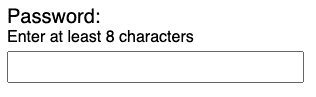
A password text input example with instructions that read Enter at least 8 characters and no placeholder text

The text input field displays the placeholder’s short instructions at first, but will disappear once the user enters text. Your best option is to place the label and any instructions outside of the form field as text on the page rather than placeholder text in the input. This practice ensures the user can always see the form field’s label and instructions.


A password text input example with instructions that read Enter at least 8 characters and no placeholder text

The placeholder attribute works with the following input types:

  • Text
  • Search
  • URL
  • telephone
  • email
  • password

HTML5 introduced the placeholder attribute, and since then it has become widely used. Designers and developers want to use a placeholder in forms as they believe it is more appealing than a visible label and instructions. This is because it takes up less space, especially on smaller devices and screens.

In part one of the series on accessible forms, we will see why using a placeholder is not great from an accessibility standpoint and how to use a placeholder attribute successfully.

Avoid the Placeholder Attribute

According to research conducted by Nielsen, using placeholder text in a form field causes a poor user experience. This is because placeholders confuse many users. In particular, people with cognitive disabilities tend to have issues understanding placeholder text because they think it is pre-populated text and will try to submit the form without entering their specific information.

It is important to note that not all screen readers will announce the placeholder attribute. If it is not read by a screen reader, the user may miss the information.

Placeholders Fail Color Contrast

The default color of a placeholder in a form field is light grey, which often doesn’t pass the Web Content Accessibility Guidelines (WCAG) Success Criteria (SC) 1.4.3 guideline. According to the WCAG SC 1.4.3, the visual presentation of text and images of text must have a color contrast ratio of at least 4.5:1, and different browsers present the color of the placeholder attribute differently. For the placeholder to pass successful color contrast requirements, proper CSS must be used:

Sample CSS Code for Placeholder

Code examples:

::-moz-placeholder {
	color: #333;
	opacity: 1;
}

::-webkit-input-placeholder {
	color: #333;
}

A Placeholder Is Not a Replacement for Visible Labels

The trend of using placeholders to provide visible labels for form fields creates a bad user experience and accessibility practice. Since placeholders disappear once users enter their data into the form controls, they don’t have any idea which form field goes with which placeholder. This disappearing act is especially negative for people with short term memory, people with traumatic brain injuries, people with Autism, people with ADHD, and people with low vision.

Furthermore, users will not be able to check that they entered the right data into the right form field if the placeholder is used as the field’s visible label. The need to recheck and re-enter data is a huge cognitive burden on all users, including people with disabilities.

Avoid Providing Instructions Using a Placeholder Attribute

Instructions help users submit a form successfully. However, if a placeholder attribute provides the instructions, the user might not be able to use the instructions effectively. As placeholders disappear when the user starts filling in the form, users might miss critical information. For example, don’t using a placeholder attribute to provide instructions for a password field. Users need to continually see the instructions to know the password requirements.

Example Syntax for Password Placeholder

<label for=”password1”>Password</label>
<input type=”text” id=”password1” placeholder=”Password should be 8 characters with one number, one special character”>

Preview


In the example above, the password needs a special character, a number, and must be 8 characters long. However, these instructions disappear as soon as the user starts typing in the field. Entering a password can become more complicated if it requires more variations.

To reduce confusion or user error, always provide instructions in the form of consistent text that users can see. It’s also a best practice to associate the instructions to the form controls using the aria-describedby method for screen reader users.

Example Syntax for Static Hint

Code example:

<label for=”password”>Password</label>
<input type=”text” id=”password” placeholder="enter password" aria-describedby=”password-hint”>
<span id=”password-hint”>Password should be 8characters long with a number & a special character</span>

Preview


Password should be 8 characters long with a number & a special character

In the example above, the password instructions remain constant even after the user enters data into the password field.

Placeholder to Floating Label

There is a growing trend to use the placeholder as a form field’s visible label, but instead of the placeholder disappearing when a user enters data, it floats above, below, or to the side of the form control. These are called floating labels. While various design and accessibility practitioners have mixed opinions on floating labels, we recommend testing them with your users. For more information on floating labels, take a look at the following articles:

In my opinion, using the placeholder as intended by the HTML specification provides the best user experience for everyone. If you choose to use a placeholder, use it for short instructions or input examples only.

Points to Remember

  • Avoid placeholders whenever possible
  • Make sure the color of placeholder text meets the WCAG SC 1.4.3 requirement of a 4.5:1 contrast ratio
  • Don’t provide instructions with a placeholder attribute
  • Provide instructions next to the form control as text
  • Associate instructions with its respective form field using aria-describedby
  • If there is no other option than to use a placeholder as a replacement for a visible label, use one of the floating label methods

(This piece was originally published 6/6/2019, but updated on 1/22/2024.)

Sarah Arnold

Sarah Arnold

Sarah Arnold is an Accessibility Coach/Consultant with over 8 years of experience. She is a Certified Professional in Web Accessibility (CPWA) accredited by the International Association of Accessibility Professionals (IAAP). As a former librarian, Sarah is well-versed in teaching and supporting others on their accessibility journey. At Deque since 2022, she acts as the desktop software lead for the Standards and Methodology team. She works to ensure that everyone has equal access to digital information.

Welcome to the next edition of my Design Strategy blog series. Today, I’ll be sharing a story from some recent client visits that will help y’all recognize WHY you should do things differently to mature and scale your digital accessibility program quickly. I will once again skip the “how-to” dry laundry lists of tactical “do this/don’t do that” mechanics. 

I will be using the terms Design System and Component Library interchangeably. Brand and style guidelines, however, are a horse of a different color as they say, and these terms will stand on their own.

On to the story…

The Problem

I recently completed back-to-back visits with two clients. In both cases, since we were onsite (and therefore within their network) I asked if we could take a few moments to put eyes on their design systems. To clarify, I wanted to look at accessibility information related to the components–not the WCAG conformance of the design system itself. Both generously agreed.

In both scenarios the system was mature (2–3 years into development) and anecdotally industry-leading. We’re talking about 75+ components with code, documentation, examples, usage guidance, and the beginnings of reusable design documentation. I asked if we could focus on the user experience items that I noticed before we looked at accessibility-related things.

Universally, the data was digestible if you had significant time to sit and interpret the content; but it was laid out poorly for quick consumption. The designers of the design system failed to follow standard user experience design rules/techniques related to layout, hierarchy, labeling and titling, etc. Most importantly, they hadn’t involved their end users in the design process. So, the system was designed to be consumed by the design system team itself–not designers, developers, and testers/quality engineers. It was very evident it was written as a repository of data and rules, not as a tool for digital teams to actually use.

This is a critical part of the problem story as the accessibility information pertinent to the component was written to be relevant to an accessibility subject matter expert (SME), not the intended users—who were decidedly NOT accessibility SMEs. The component cited WCAG rules but didn’t put them in terms the real users needed to understand; best practices for WCAG success criteria were not even touched on. For example, Name/Role/Value information of the checkbox entry was not even mentioned, let alone clearly called out) in the documentation. There were images for checked and unchecked states, but no documentation on whether the brand standard was for the end user to opt-in or opt-out of the checkbox. There was no content showcasing a successful screen reader interaction with the component to help the developer with implementation or the tester with testing.

The ‘A-ha!’ Moment Followed by Contemplation, Insights and Some Colorful Commentary

In both cases, as I laid out my user experience observations the teams had their a-ha moments, seeing their content through another’s eyes for the first time. You know the moment I mean, right? They go quiet, maybe pale a little bit, audibly gulp, and in some cases, drop an expletive (or two). Let’s just say, the words dropped were very colorful!

Simulating a designer’s role, we took a moment to walk through a component for potential implementation. As the designer, I needed a checkbox in a newsletter sign-up form for the end user to agree to the terms of the company’s use of their email in future transactions. I encouraged everyone to “play along” and list out (in importance order) what information we would need to review if we had multiple components to choose from: usage guidance, state descriptions, visuals, do’s & don’ts, exceptions, design [tool] snippets to load into our wireframes, assurances that this component was WCAG 2.1AA conformant, and accessibility guidance. 

Given that there was only one checkbox in the design system, it didn’t take a lot of brain power to decide we were going to use it. But, looking at their interface, only half of the data needing review was available. And, the information that was available wasn’t presented in the correct order (see paragraph above). Meaning that, as users, we would have to hunt for what we needed and then guess at the rest of the information.

I clicked on another component and they quickly saw that it had different information than the checkbox component) and that it was presented in yet a different order. As a user, I would need to relearn the information layout with each new component, which would dramatically increase my cognitive load, not to mention velocity. Let’s just say there were more sighs and very colorful expletives dropped.

It is critical that you, dear reader, understand that the hard work you have already put into your accessibility program and/or design system is not wrong or worthless. Everything you’ve done is on the maturity spectrum. The desire, effort, and ambition to make what you have so far is in no way diminished here. Having someone like me come in and quickly identify things that can be improved on is the ‘forest for the trees’ phenomenon. You are very close to it, so your objectivity is obscured. Trust me, I’ve been there. It often takes fresh eyes with a fresh perspective to see the whole “forest”. Take a deep breath and focus on the horizon–the destination. Take pride in what you’ve built thus far and gather the energy to take things to the next level. Kumbaya!

What Can We Do with These Insights

Each client said that this exercise quickly showed them where they needed to go next to bring their design system to the next level of maturity. Here are some additional insights I shared with them:

General

  • Make sure you’re focusing on the real end users, e.g., designers, developers, testers, etc. Use design thinking exercises with your end users to explore what they need and how they need it to be successful in their jobs.
  • Be consistent with (per component) page layout. This will reduce cognitive load while providing user efficiency by knowing exactly where to go for the information they need.
    NOTE: If a section of data does not apply to a specific component, list the section with a ‘not applicable’ label; do not remove it! The user will be anticipating information in specific locations and order.
  • Be cognizant of multi-user tenancy. Find a homogenous presentation format that’s relevant for multiple users. This should include type of data, tone, and relevancy of data. For example: Including the Name/Role/Value information clearly called out helps the designer understand the screen reader user’s experience, helps the developer with their coding, and helps the tester know what the correct scenario is for that component. Anything other than that experience should be logged by the tester as a defect.

Testing

  • Provide test scripts for each component. This will enable testers to easily replicate the test for that component. Include the completed design system team’s test scripts to confirm the component is conformant prior to its implementation. This will also passively communicate that defects found after component placement would have to have been introduced after they were imported by development. If there are WCAG Success Criteria that cannot be tested until the component is in place, make note of this in the test script to jog the tester’s memory.
  • Test to WCAG 2.2AA conformance regardless of the level stated in your policy. Keeping all components in the design library at the highest available WCAG level will give teams a jumpstart to meet future policy changes.
  • Clearly demonstrate “success” information to aid testers. For instance, include a video of the screen reader correctly announcing the component.

Standards

  • Include all specific and applicable accessibility information (as if it is an annotation) for the component. For example, what is the Name/Role/Value of the checkbox in both the checked and unchecked states. Provide brand-preferred usage with the component. In the case of the checkbox, the usage might be for users to opt-in for terms and conditions (or similar) and opt-out for all other cases.
  • Include guidelines or standards in your design system for universal items such as how telephone numbers or currency amounts should be announced by a screen reader.
  • Consider hyper efficiency by incorporating your brand and style guidelines into the design system instead of having separate documents. If you need to maintain them as separate documents, provide easy links to them in your design system’s top-line navigation.
  • Take your accessibility documentation to the next level: specify (and label) best practices versus WCAG normative Success Criteria. For instance: X is a WCAG Best Practice (optional) but is part of your brand (required). This will allow users to know which best practices they must address. Know that it might take you some time as an accessibility program to land on definitive best practices and document them. That’s perfectly fine.
  • Passively communicate WCAG conformance data at the component level. Not only will it reiterate the need for conformance to your users, it will also allow your design system team to independently up the conformance level during times of transition.
  • Design systems with a high level of maturity will have unique entries for components that meet AA-levels and similar components that meet AAA-level. Each will have clear documentation on why and how they meet the different levels and offer usage guidance to help the user determine why they would use one over the other in their implementation.

Collaboration

  • Make sure that your design system (preferably at the component level) has an easy defect reporting process. As we have all experienced, not all scenarios can be tested during the component design and development process. Installers may be able to break the component when used in an untested scenario. 
  • Be a team that is easy to work with. Allow your colleagues to engage you easily and respond quickly to their needs. You are a service provider with a user that is blocked. It’s critical to get them operational as quickly as possible with a strong sense of customer service. We see higher design system adoption rates when the design system team is seen as easy to work with.
  • Create quality loops for your design system team. Hold retrospectives or periodic reviews of implementation issues, problems, complaints, and questions to optimize your process, your documentation, and the design system itself. Whenever possible, include digital team members that are beyond the core design system team.

Leadership

As a leader, balance ‘trust’ versus ‘blind trust.’ Evident in both scenarios: the leaders I was working with trusted their staff to execute well, however, they themselves were not users or reviewers of the design system. They were shocked to see the lack of continuity which was leading to user confusion and contributing to their adoption issues. As a leader, you should absolutely trust your team to execute their work well, but you also need to be a member of the team and use your more senior skills to provide an outside-in perspective. Help your team step back periodically to look at the forest–not just the trees. If you‘re leading a team that is outside your core skill set, make sure the  team has users provide periodic reviews and feedback on content, usability, continuity, delivering on purpose, etc. during the design/development process, not just after it’s complete and in front of the users.

Why I Love This Approach for Solving Design Problems at Scale

These are a few of the many reasons why I love this approach:

  • You can quickly scale your design system usage and rapidly extend accessible components with a strong foundation, a robust page layout, and a clear plan by delivering information in a format that will allow designers, developers, and testers to quickly accomplish their goals. (You might even be wildly popular to boot!)
  • Baking accessibility into the components will greatly reduce technical debt further down your SDLC.
  • Build confidence and trust in the design system by ensuring components meet WCAG conformance, providing evidence of its conformance, and that conformance is thoroughly labeled throughout the design system. This will reduce back and forth with developers, saving everyone significant cycles. 
  • By being a team that’s easy to work with, you will increase user loyalty, trust, and ongoing use of your design system.
Matthew Luken

Matthew Luken

Matthew Luken is a Senior Vice President and Chief Architect at Deque, consulting with companies of all sizes, markets, and industries to grow their digital accessibility programs. Matthew also provides thought leadership to advance the profession and practice of digital accessibility and mature and maximize operations, processes, and outcomes. Prior to Deque, Matthew built and ran U.S. Bank’s digital accessibility program, providing accessibility design reviews, compliance testing services, defect remediation consulting, and more. The program leveraged over 1,500 implementations of Deque’s Axe Auditor and nearly 4,000 implementations of Axe DevTools and Deque University. Matthew also served as Head of UXDesign’s Accessibility Center of Practice, where he was responsible for supporting the digital accessibility team’s mission. As a digital accessibility, user experience, and service design expert, Matthew has worked with over 500 brands, covering every vertical and market. He also actively mentors digital designers and accessibility professionals.

India has a new rising economy that is catching everybody’s attention with its development, innovation, and growth. But we won’t be talking about what’s out there on the internet. We will be diving deep into a topic that’s making waves and deserves a prime spot on the radar of tech giants – Web Accessibility. Now, you might be thinking of terms like WCAG compliance and accessibility standards, and why is it such a big deal? Let’s break it down into simple words so everyone can join the conversation.

With a growing surge of technology and innovation, India is emerging as a hub of endless possibilities. As a growing tech-savvy population and seeing a surge in digital solutions, it is no doubt to say that India is in its digital era. But, amidst this tech-savvy chaos, there’s an often overlooked aspect that needs everyone’s attention – Accessibility.

Why Accessibility Matters: A Global Perspective

Implementing web accessibility ensures that everyone can use and get value from digital content regardless of their abilities and disabilities.

As per the insights from the World Health Organization (WHO), over 1 billion people, which is about 16% of the world’s population, have different disabilities. It’s not just about one group; it’s people of all ages and backgrounds who have trouble moving, seeing, hearing, etc.
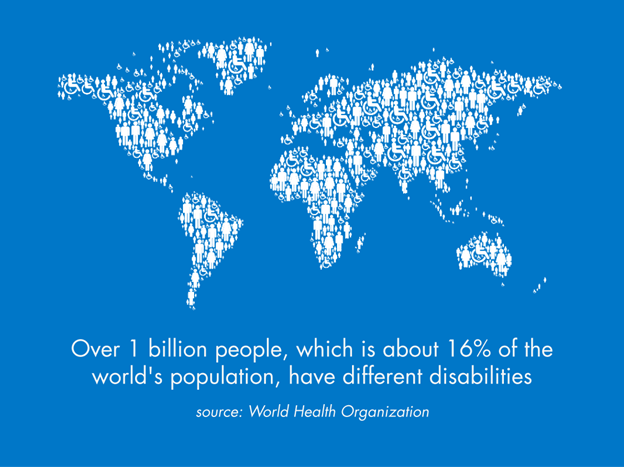
Over 1 billion people, which is about 16% of the world's population, have different disabilities. Source: World Health Organization

Isn’t it unfair to exclude these many people from using digital content because we haven’t made our digital sites accessible?

When websites, apps, and digital content are not fulfilling their needs, we exclude these many people from using services and products meant to serve everyone. So, focusing on implementing web accessibility standards such as WCAG guidelines is like opening doors for everyone. Web accessibility makes sure that everyone, including people with disabilities, can access the full power of the digital web.

In this blog, we will explore the role of accessibility in the work of major tech companies in India. We will cover how these companies can have a meaningful impact by prioritizing accessibility and how they can lead the charge in creating technology that is not only better but user-friendly and accessible to everyone. Whether you are a tech enthusiast, someone who cares about meeting the needs of diverse groups, or curious about the future of tech, this blog is for you.

Come along with us as we delve into why accessibility is a significant focus in 2023. It’s a tale of empowering people, fostering innovation, and shaping a digital world where everyone can thrive.

Accessibility Challenges in India

As India embraces Digital India’s mission and digital tech, welcoming a whopping 692 million digital enthusiasts, prioritizing accessibility becomes more evident.

Think this way: When government websites in India are not easy to use for people with visual impairments, it is more than just an accessibility problem. It is a roadblock preventing them from participating in civic life. Likewise, the lack of sign language interpretation in video content poses a big challenge for the deaf and hard of hearing, restricting their access to essential information. These issues hit millions of our fellow Indians hard, pushing them to the sidelines in our digital revolution.

Tech companies in India face their own set of challenges when it comes to making their products accessible. They have the responsibility of creating digital stuff—be it websites, apps, or devices—that meets the varied needs of all users, including those with disabilities.

But here’s the truth we can’t ignore: Sometimes, the laws meant to promote accessibility lack proper enforcement. This, sadly, results in companies neglecting the crucial need to make their products and services accessible to people with disabilities. When tech companies overlook accessibility, they leave out a big part of our society.

The Legal Framework: Accessibility Laws in India

In India, some important rules and regulations support the idea of accessibility, aiming for an inclusive society. Two key laws stand out in making this happen:
The Indian flag an a legal document

The Rights of Persons with Disabilities Act, 2016:

This law is about making sure everyone can use public spaces, transportation, and digital resources, regardless of their abilities. It puts a spotlight on following accessibility standards and guidelines.

For example, it says buildings like government offices and schools should have ramps. This simple addition helps people with mobility challenges move around without any hassle.

The Information Technology Act, 2000:

This law deals with the digital world. It’s all about making sure that websites and apps are designed to be user-friendly for people with disabilities.

For instance, it insists that websites include descriptive text for images. This way, screen readers can help visually impaired individuals understand the content.

These laws are like building blocks, shaping a more inclusive and fair society in India where everyone has equal access to resources.

2023 Law Changes:

In 2023, some important changes were introduced, and new rules in India were implemented to boost accessibility. This shows the commitment to keeping up with the latest technologies and global standards. These changes are a big deal when it comes to including people with disabilities:

2023 Amendment to the Rights of Persons with Disabilities Act:

In 2023, we made a crucial update to the Rights of Persons with Disabilities Act. This change is all about making things more accessible by including more public places and online stuff. It’s like a response to the ever-changing world of new technologies, setting up new rules to make sure everyone follows them.

One major part of this update is that websites must follow specific content guidelines. This means making websites so that everyone, including people with disabilities, can use and understand what’s online. It’s a big move to make digital content more user-friendly for everyone.

Digital Accessibility Guidelines:

Starting in 2023, these guidelines give clear directions on how websites and mobile apps should be made so that everyone can use them. They set specific standards to make things inclusive.

For example, one important point is to have video captions. This helps people who are deaf or hard of hearing understand what’s happening in the videos. It’s all about making the digital world more accessible for everyone.

In 2023, the amendments to these laws became of great significance. They show India is committed to staying up-to-date with new technologies and global accessibility standards. But most importantly, they make life simpler for people with disabilities by making sure they can get to public places and use digital stuff. It’s a big step toward making our society more fair and inclusive.

Tech Giant’s Responsibility
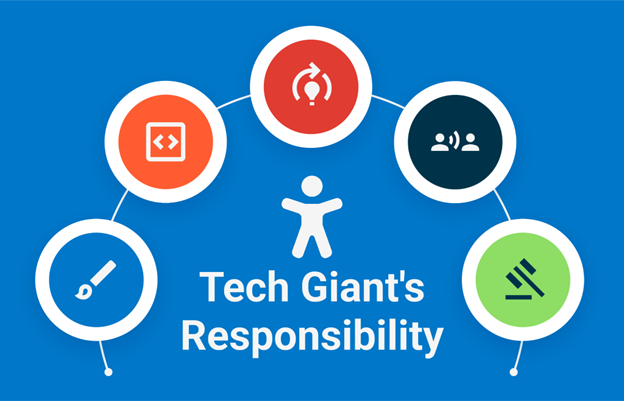
Leading tech companies have a huge responsibility to make the digital world welcoming for everyone, regardless of their abilities. It’s not just a choice for them; it’s a significant obligation, and there are plenty of good reasons why.

Design for Everyone:

Tech giants should be at the forefront of creating websites, apps, and devices that work for everyone, including those with disabilities. Making sure their digital stuff can be easily used with screen reader software is a game-changer. It lets people with visual impairments access information and services on their own terms.

Testing:

It’s super important to thoroughly test products to make sure they work for people with different abilities. This means checking if apps are easy for those relying on voice commands because of physical limitations. Tech companies need to make sure their products are inclusive and don’t leave anyone out.

Training:

When tech companies teach their employees about the needs of people with disabilities, it boosts their ability to create products that everyone can use and provides better support. This not only makes things more accessible but also creates a culture of empathy and innovation.

Listening to Feedback:

What users say, especially those with disabilities, is super important. Tech giants should really pay attention to their customers and make changes based on what they say. For example, adding subtitles to videos because of feedback from users with hearing impairments shows they’re serious about being inclusive.

Legal Compliance:

Following the rules and standards set by governments on accessibility isn’t just a checkbox—it’s a crucial step in making sure products meet the necessary criteria. This helps everyone get equal access and reminds tech giants of their responsibility to uphold societal values.

For instance, when Apple introduced VoiceOver, a screen reader, on iPhones, it opened up smartphones for people with visual impairments. This shows how tech giants can make a real difference by making their products more accessible and positively impacting people’s lives.

To sum it up, tech giants have a huge role in making technology available to everyone. Their dedication to accessibility is not just for making money; it’s about creating a digital world that includes everyone. It’s a shared responsibility to build a digital space that’s fair, easy to use, and welcoming to everyone.

The bottom line:

In conclusion, implementing accessibility is the key to creating a fair and equal environment for everyone. In 2023, India’s data and use policy, along with the Accessibility (A11Y) standards of care, highlight how important accessibility is. It’s not just about following rules; it’s a deep commitment to building a world where no one feels left out.

To fully embrace accessibility and bring about positive change, it is crucial to integrate digital accessibility practices into your organization. This is a big step toward creating a world that includes and values everyone’s needs and abilities. It’s not just a choice; it’s a crucial move toward a fair digital space that works for everyone.


Abin Choudhury

Abin Choudhury

Abin is the Vice President Sales, APAC at Deque Systems. He has completed his CFO program from IIM, Calcutta, and his MBA (Marketing) from MIT, Pune. Abin has over 18+ years of experience in Consultative Sales, Marketing, Business Development, and IT Operations, being a startup founder with solid entrepreneurial expertise to foster revenue growth, scale teams, and nurture organizational culture. Abin believes in a journey of continuous learning, intellectual curiosity, strong customer empathy, consultative selling, and ongoing professional relationships. He defines turnaround strategies to drive significant revenue growth, building a strong sales team with corporate vision and operational integrity. His expertise lies in leading sales development efforts, servant leadership, active strategies, and improvement initiatives to achieve defined goals and setting up the go-to-market plan. Through his experience, he is adept at overseeing various operational and fiscal responsibilities to ensure optimal business performance and significant revenue enhancements. In addition, he enjoys traveling (Driving by road for hours), writing blogs, exploring spiritual concepts, thinking of new ideas, learning about various entrepreneurs’ success stories, and constantly thinking about the subsequent ideas to solve more real-world problems.