When your team is under pressure to move quickly, and you know you need to test for accessibility, automated testing can feel like the most efficient approach. In practice, however, accessibility testing requires both automated and manual testing. They serve different purposes, and both are necessary to determine whether an experience is truly accessible, usable, and conformant. The good news is, you can include manual testing and still maintain your velocity.
In this post, we’ll examine the complementary benefits of automated and manual testing and outline a testing approach that supports development speed while continuing to deliver more accessible user experiences.
Many teams begin improving their accessibility workflows by incorporating automated checks throughout their development lifecycle, using tools like Axe DevTools for Web to help identify common issues earlier in the process and reduce later rework.
Automated accessibility testing in modern development
By running accessibility checks locally, in pull requests and continuous integration pipelines, you can catch common issues early, when changes are easiest to fix. Over time, you’ll reduce the number of accessibility violations that can reach production or appear during audits. Using automation throughout the software development lifecycle (SDLC) shifts accessibility from a last-minute concern to a proactive and preventative practice that supports continuous development.
Different tools for different contexts
There is a wide range of automated accessibility tools on the market. Some are intentionally simple, designed to test a single page against a fixed set of rules. They’re often quicker to adopt and can be useful for initial feedback during the development phase.
Other tools are built for larger environments and can crawl multiple pages, follow user flows, apply custom rule sets, and generate comprehensive reports. Platforms such as Axe Monitor, for example, are designed to continuously scan sites or applications at scale, helping teams track accessibility issues across releases and monitor trends over time. In many organizations, different tools are used at different stages. Developers might use simpler tools during daily development, while relying on broader scanning and monitoring tools for organization-wide visibility.
Browser-based tools
Browser-based tools play an important role in this conversation. With browser-based extensions such as the Axe DevTools Extension, developers and QA testers can analyze pages directly in the browser during development and testing. The Axe DevTools Extension surfaces accessibility issues with clear guidance and references to relevant standards, making it easier to understand what needs fixing and how to fix it. This helps teams move quickly from detection to remediation without requiring deep accessibility expertise.
The platform option
If automated testing is already part of your workflow, the Axe Platform is a natural way to mature that process. Rather than a single tool, the platform brings together accessibility solutions across design, development, testing, and production, so accessibility checks can happen wherever work occurs. This approach surfaces issues with consistent results and clear guidance, helping teams address problems earlier in the SDLC.
Relying solely on automation risks overlooking critical barriers
Despite its strengths, automated testing can only detect what can be reliably measured by the tool’s ruleset. Many accessibility requirements depend on context, meaning, and interaction.
For example, automated tools can identify whether interactive elements are properly labeled and whether components are technically focusable. However, they cannot determine whether instructions are clear to users, whether the order of interactions supports completing a task without confusion, or whether the overall flow of a page makes sense when navigating with assistive technologies.
These limitations are not failures of automation. They reflect the distinction between what can be programmatically determined and what requires human judgment. Automated testing excels at consistently detecting many technical accessibility violations, but evaluating how understandable and usable an experience is for real people still requires manual review.
Automation can and will uncover a meaningful portion of issues, but it cannot yet evaluate the overall experience of navigating, understanding, and using an interface. Relying solely on automated results risks overlooking real barriers that only appear when real interactions occur.
This is why manual testing is essential.
The benefits of manual accessibility testing
During manual testing, trained accessibility professionals evaluate aspects of accessibility that require human interpretation and real interaction with the interface. These checks often focus on how users experience a page or application as they move through tasks. This process can include evaluating page structure, interaction patterns, visual presentation, and whether instructions and feedback are understandable within a complete user flow.
Manual testing is most effective when it follows a methodology that is consistent rather than reactive or random. A structured approach helps ensure consistency across different projects and teams.
Accessibility testing typically involves defining the scope of testing, choosing a technical standard (for example, WCAG 2.2 AA or EN 301 549), selecting representative pages or user flows, applying repeatable evaluation techniques, and documenting findings that support efficient remediation. Many teams use automated and guided testing first, then complete a set of remaining manual checks to validate aspects of accessibility that still require human judgment.
When manual testing is applied intentionally, it complements automated testing by expanding coverage and validating real-world usability, leading to greater accuracy and efficiency.
Audits, VPATs, and program maturity
Accessibility audits and VPATs play distinct roles in accessibility programs. Understanding how audits, automation, and manual evaluation work together is essential for sustaining accessibility over time.
Audits and VPATs serve a different purpose than development testing
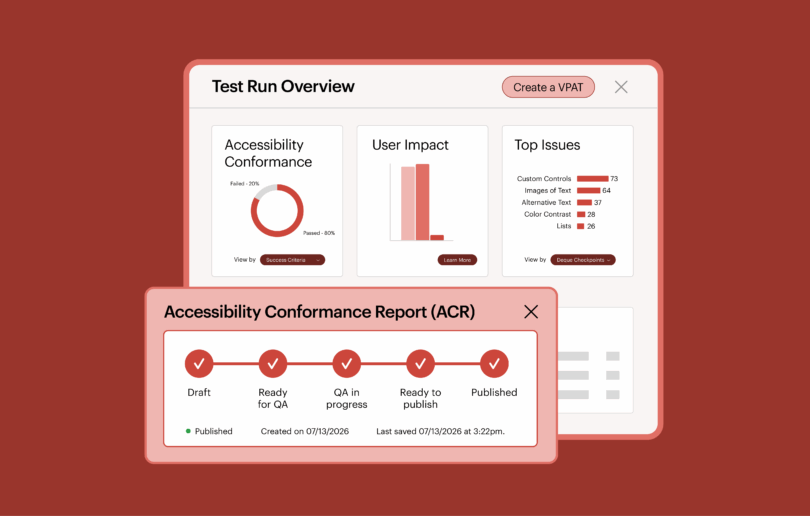
Accessibility audits and Voluntary Product Accessibility Templates (VPATs) serve distinct yet related roles within accessibility programs. An accessibility audit evaluates a product against accessibility standards and produces detailed findings that identify barriers and remediation priorities. Many organizations conduct audits simply to understand their current accessibility posture and determine the scope of work required to improve.
A VPAT, by contrast, is a formal document that communicates how a product conforms to accessibility standards. It is often used during procurement or vendor evaluation processes. Because VPATs make public or contractual claims about accessibility, they typically rely on the evidence produced through an accessibility audit.
Whether used for internal planning, procurement, or risk management, both audits and VPATs require a level of accuracy, traceability, and contextual evaluation that automated testing alone cannot provide.
How automated testing supports audit readiness
Automated testing plays a critical supporting role by continuously reducing the volume of known, programmatically detectable issues throughout the SDLC. When teams integrate automated checks into local development, pull requests, and CI/CD pipelines, they prevent many common failures from ever reaching the audit. This lowers remediation effort, shortens audit cycles, and reduces the likelihood of surprises later in the process.
Why manual evaluation is still required
Accessibility audits evaluate products against defined technical standards such as WCAG 2.2 AA. While many success criteria can be evaluated programmatically, others require human interpretation to determine whether the requirement is truly satisfied.
For example, evaluators may need to assess whether instructions are clear enough for users to complete a task, whether content structure communicates meaning effectively, or whether dynamic updates are announced in a way that assistive technologies can interpret correctly. These kinds of determinations depend on context and human review rather than purely automated checks.
Because of this, manual evaluation remains a necessary part of accessibility audits. Automated testing can surface many technical violations, but manual assessment ensures that the product actually conforms to the full set of accessibility requirements defined by the applicable standard.
How mature programs bring these approaches together
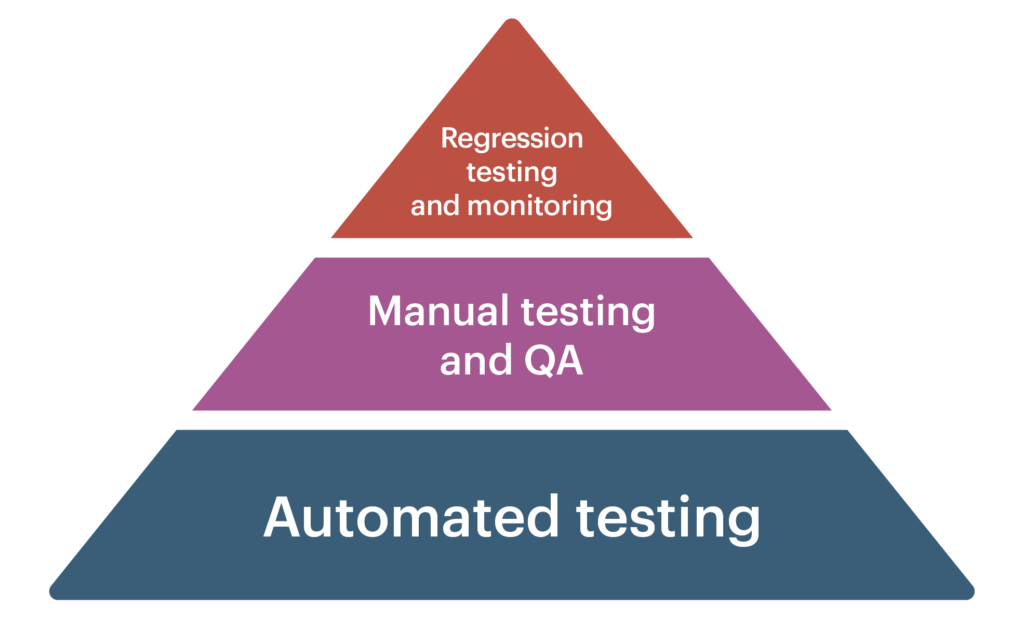
Mature accessibility programs use automation and manual testing together to ensure comprehensive coverage of accessibility requirements. Automation establishes a consistent baseline of technical compliance and signals ongoing due diligence, while structured manual testing evaluates requirements that cannot be fully verified programmatically.
Accessibility audits then build on both efforts, providing a detailed assessment of conformance against established accessibility standards at a specific point in time. The audit findings are supported by documented evidence and testing results that demonstrate how the product aligns with the applicable technical requirements.
From one-time audits to ongoing maturity
As programs evolve, audits and VPATs often become recurring checkpoints rather than one-time events. In this model, teams continue to perform both automated and manual accessibility testing throughout the product lifecycle, using automation to continuously identify programmatically detectable issues, while manual evaluation verifies requirements that require human judgment.
Periodic accessibility audits then provide an independent snapshot of conformance at a specific point in time. Together, ongoing testing and recurring audits help organizations move beyond reactive compliance and toward measurable, defensible accessibility maturity.
A practical way forward
Accessibility testing does not require choosing between speed and thoroughness. By integrating automated and manual testing, you can have the best of both worlds, scaling your efforts while expanding coverage, increasing accuracy, and maintaining velocity.
Ready to elevate your accessibility testing program? Reach out to Deque today to see how automated testing, audits, and expert guidance can work together to help your organization achieve its accessibility goals.