Every accessibility testing tool has a ceiling. Rules inspect a page as it is. They can tell you an image has no alt text, but not whether the alt text describes it. They can check a dialog’s markup, but they can’t open the dialog and watch where focus goes. That level of work has traditionally required someone with accessibility expertise. Automated Intelligent Guided Tests (IGTs) change that. IGTs can perform those tests, make those judgments, and then hand the results to a person to confirm.
The ceiling is why we built IGTs in the first place. An IGT can identify the elements to test, then present the decisions in the same way an expert would, in a form a developer can work through. With that shift, the expertise moved into the tool. The tool asks the questions; a person provides the answers. What used to take hours became doable in minutes.
Now, the volume is going up. AI assistants are helping teams produce more code and more interfaces, without there being a matching increase in the people qualified to test them. That poses a tremendous challenge, because the work above the ceiling only scales by adding people.
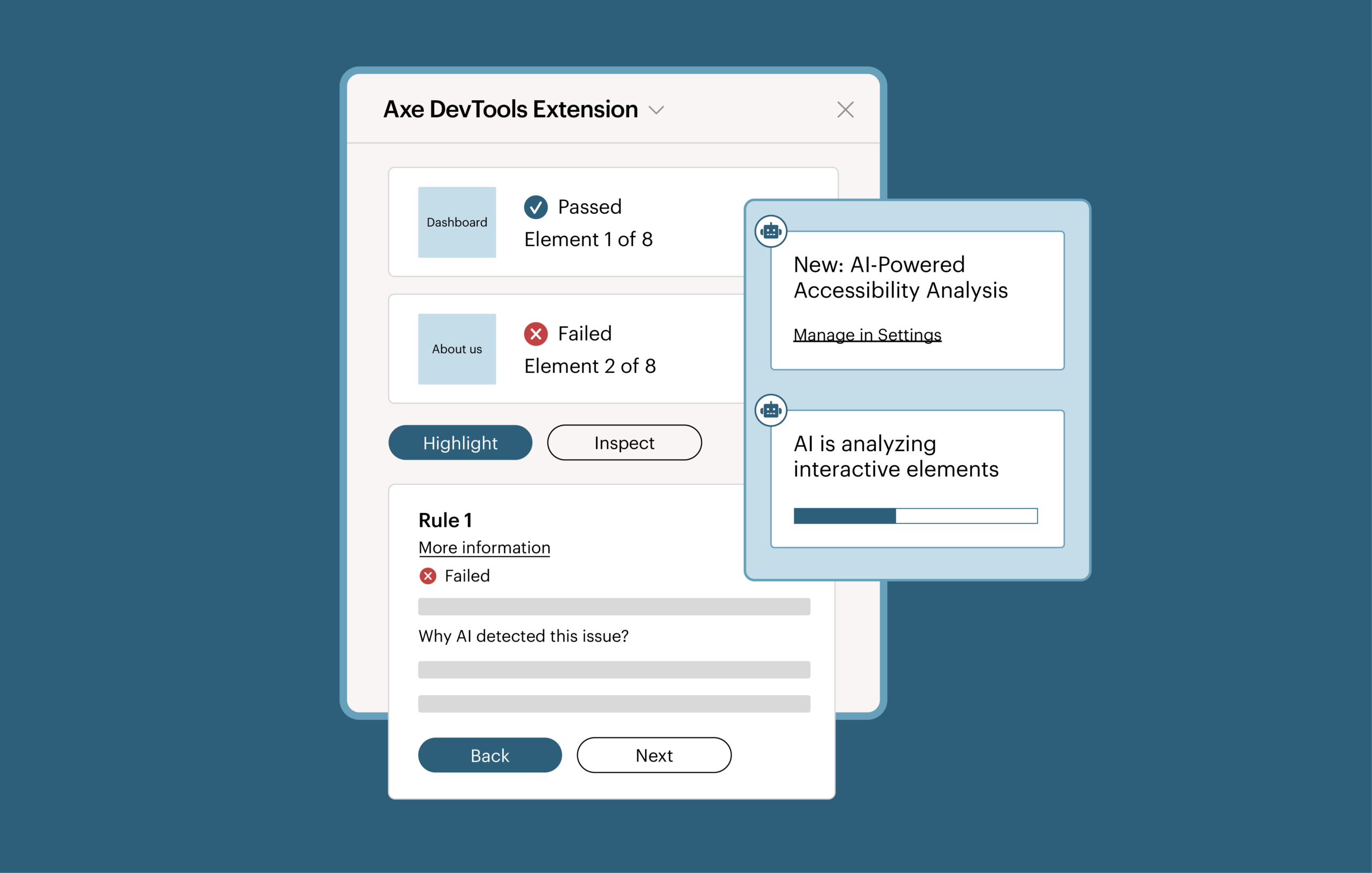
Automated IGTs offer the solution. Automated IGTs not only ask the questions but also provide the answers: whether a component traps keyboard focus; whether an image is decorative or carries meaning; whether a control’s accessible name actually describes what it does.
Automated IGTs show their work: what was assessed, what was concluded, and why. Confirming or overriding those conclusions is a human decision, made by someone equipped with the information they need to make the right decision.
Experience automated Intelligent Guided Tests in action!
Extending human capabilities with intelligent automation
Human interaction and judgment have always been a part of accessibility testing: navigating with a keyboard, evaluating focus behavior, or determining whether an image conveys meaningful information.
IGTs made those tests easier by guiding developers through necessary actions and decisions. But while the process was guided, and accordingly easier and faster, someone still had to manually assess each step.
An automated IGT improves this process by handling much of the test execution and assessment. Standard manual tests can take 30 to 45 minutes to fully tab through every tab stop and manually record every issue. With traditional IGTs, tabbing and issue logging are automated, and that same 30- to 45-minute test can be done in two to three minutes. Now, with automated IGTs, two- to three-minute tests can be completed in seconds.
With this kind of velocity now possible, you can run more tests more often, incorporate them into more points in your development workflow, and automatically cover more types of accessibility issues—without proportionally increasing testing effort.
Consider that keyboard navigation example from above. Traditionally, testing keyboard behavior required navigating through the page with a keyboard, inspecting tab stops, evaluating focus behavior, and identifying problems such as missing tab stops or keyboard traps. With an automated IGT, most of that work happens automatically. Your developer reviews the findings, corrects any assessment the AI got wrong, and fixes the confirmed issues.
With this approach, a test that previously required substantial manual work becomes routine. Automated IGTs also run through the Axe MCP Server, which puts them inside the environment where the code is being written, so a developer can run a guided test and get remediation guidance without leaving their editor.
Shifting complex testing earlier
Testing that needs a specialist tends to happen late, because it waits on that specialist’s availability rather than on the code being ready. Automated IGTs move that testing to where the code is being written.
Without automated IGTs:
- Your developer runs an automated accessibility scan and fixes what it reports.
- Someone has to decide which manual tests the component still needs.
- The work queues until a developer, QA engineer, or accessibility specialist is available to run them.
- Findings come back to the team, against code that has moved on.
- Your developer makes changes, and the component goes back for validation.
- If validation fails, it queues again.
With automated IGTs:
- Your developer runs the scan and the guided tests in one pass.
- Results come back with each assessment, along with the reasoning behind it.
- Your developer confirms or corrects the assessments and fixes what’s real.
- They run it again to validate.
Instead of waiting for complex accessibility testing to happen in QA or during an accessibility review, your developers can get feedback while they’re building. They can address issues before code is merged, preventing accessibility problems from becoming late-stage rework.
A more efficient and effective division of labor
With this approach, two positive changes happen simultaneously. Developers no longer have to wait on a specialist for checks they don’t need to perform, and specialists stop becoming bottlenecks for those checks.
Imagine your developer is building a modal dialog. They may know that keyboard behavior and focus management need to be implemented. However, verifying that is its own skill set. An automated IGT runs the checks and hands back an assessment your developer can act on: they can confirm it, correct what the AI got wrong, and fix what’s real.
Automating this type of execution gives valuable time back to your specialists, who are then freed to focus on tasks such as:
- Finding the systemic problems behind individual findings, usually in shared components and design systems.
- Validating solutions for complex or high-risk issues.
- Coaching developers and product teams so accessibility knowledge lands in everyday practice.
- Prioritizing accessibility risk across products, and setting strategy rather than executing tests.
This is the work automation can’t do, and it’s where your specialists’ expertise is most valuable.
Start using automated Intelligent Guided Tests today
Five Intelligent Guided Tests run automatically today:
- Keyboard: tab order, focus indicators, missing tab stops, and keyboard traps.
- Interactive Elements: accessible name, role, and state on buttons, links, and custom controls.
- Modal Dialog: whether focus moves into the dialog, stays inside it, and returns to a logical place when it closes, whether screen reader users can reach content behind it, and whether Escape dismisses it.
- Images: whether an image is decorative or carries meaning, and whether its accessible name holds up.
- Structure: headings, lists, page language, and titles.
More are on the way, and the documentation always has the current list.
If you have an Axe DevTools Extension (Pro) or Axe DevTools for Web subscription, you can run these today. Learn how to use automated IGTs.
New to the Axe Platform? Start a free trial of Axe DevTools Extension (Pro) to try automated IGTs right away.