We’re at an inflection point for digital accessibility. With AI accelerating content creation and code generation, and global regulations and standards rapidly evolving, the pace at which teams must deliver quality, compliant, accessible experiences is intensifying—and so is the pressure.
Rising to this moment means having the right tools so organizations can scale digital accessibility, keep pace with modern requirements, and continue moving toward a more accessible digital world. To solve AI-created accessibility challenges, you need AI-powered accessibility solutions, and that’s exactly what Deque is providing.
Our two latest AI features are automated Intelligent Guided Tests and advanced rules. While we’ve had many enterprise customers already using these for months, you can now access these features directly in your browser extension, so it’s even easier for you to leverage in your workflows.
Drive more impact from your accessibility testing with AI-driven features
With our AI-enhanced capabilities, you’ll benefit from expanded automated coverage to help your teams find and fix more accessibility issues faster. You’ll also be able to expand who can participate in testing, making it easier for more people to uncover issues that previously required expert-only review. This means quicker issue detection, lower manual effort, and more bandwidth for strategic accessibility work.
Automated Intelligent Guided Tests
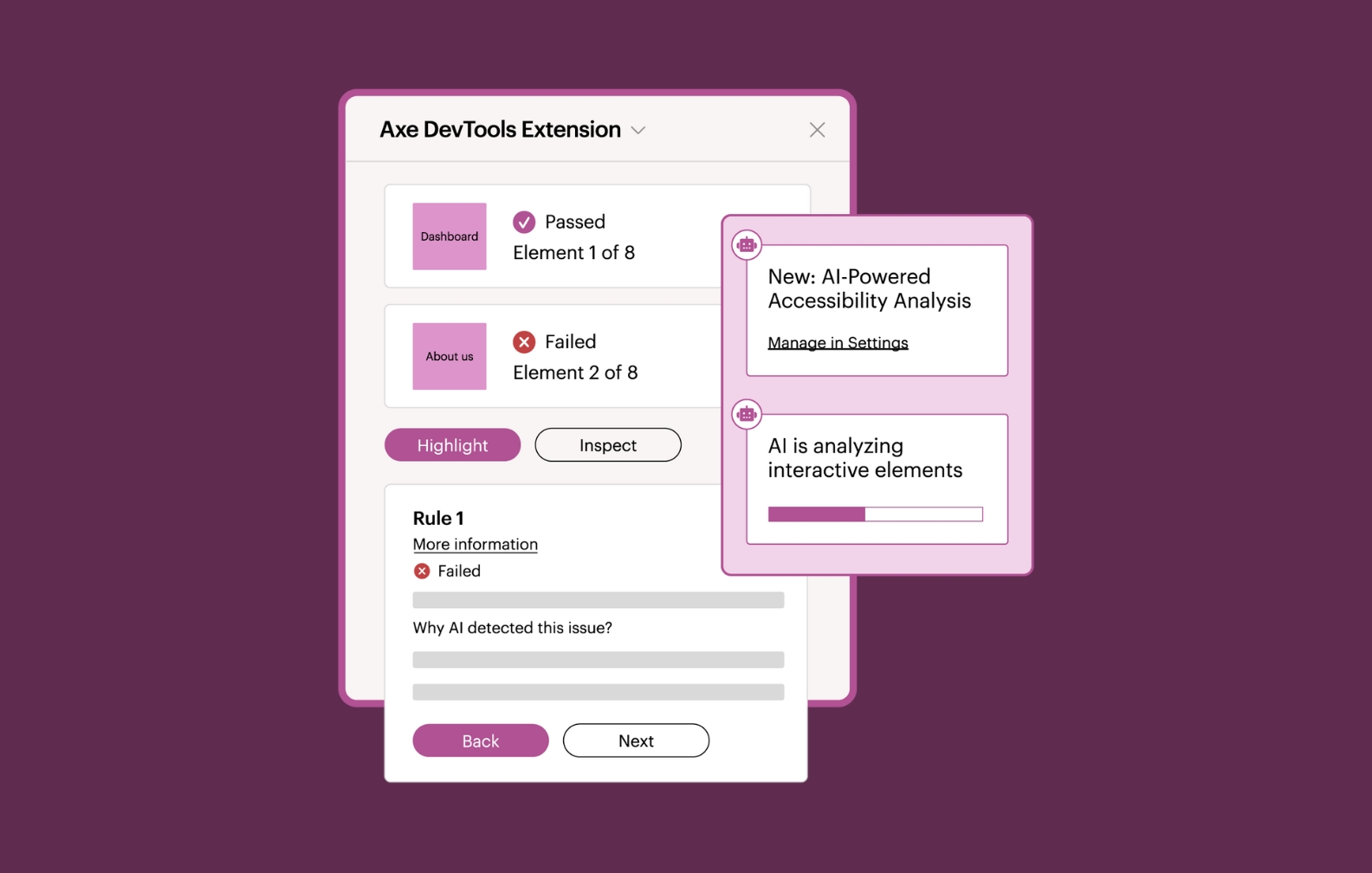
Automated Intelligent Guided Tests use AI to help your teams complete more complex accessibility tests faster and more consistently—without taking control away from human experts. Instead of manually working through guided questions and steps, AI assists by reviewing patterns, surfacing potential issues, and presenting clear findings for your team to review and approve with just the click of a button. You get the speed and consistency of automation while retaining full ownership of the final results.
Automated Intelligent Guided Tests also provide reasoning behind each finding, so your team can understand why an issue was flagged. This builds trust, confidence, and shared understanding across teams.
The first automated Intelligent Guided Test available is for interactive elements. We are actively automating more Intelligent Guided Tests (such as keyboard tests) so we can continue to help break down barriers to accessibility, make it easier to test earlier in the SDLC and scale across teams.
Advanced automated rules
These AI-powered rules tackle issues like heading structure, focus indicators, text contrast, and decorative images—areas that previously required manual testing or Intelligent Guided Tests. Now, your developers and QA teams can catch these problems early, consistently, and quickly. This means more people on your teams have the power to contribute to accessibility right away and move faster through workflows. You’ll also be freeing up your experts to focus on the most complex and strategic problems.
The impact: Faster, easier, more scalable accessibility testing
Teams once spent 30–45 minutes manually tabbing through every interactive element, discovering keyboard issues, documenting issues, and writing up remediation recommendations. With Intelligent Guided Tests, we were able to tremendously cut down that time to 2–3 minutes. Now, with automated IGTs powered by AI, those same tests happen in seconds—up to 4x faster than a standard IGT (and up to 60x faster than a manual test).
As you can see, these new AI features truly give you meaningful advantages in your accessibility strategy. Your team can automatically detect more accessibility issues with less manual work, while you stay in control of final decisions. Routine tasks are handled faster, freeing you up to focus on critical, high-impact accessibility challenges. And because more people (not just specialists) can contribute confidently, you build a more scalable, resilient accessibility program. It’s the ideal way to stay ahead in our AI-powered world.
If you’d like to check out these new features and learn more, contact our team to get a demo or start a free trial of the Axe DevTools Extension.
Request a demo today!