
The Americans With Disabilities Act (ADA) website compliance
The ADA is a law established to protect the rights of people with disabilities including their right to employment, public services, and public accommodations.
What is the ADA?
The Americans with Disabilities Act (ADA) is a civil rights and equal opportunity law prohibiting discrimination against people with disabilities.
The ADA was signed into law in 1990, long before the Internet became the center of shopping, social networking, information sharing, education, work, and life as we know it. And wow, a whole lot has changed in the last 35 years.
Who does the ADA protect and what does it cover?
The ADA protects qualified individuals with disabilities, whether temporary or permanent. According to the ADA website, a person with a disability is someone who:
- Has a physical or mental impairment that substantially limits one or more major life activities.
- Has a history or record of such an impairment (ex. cancer that is in remission).
- Is perceived by others as having an impairment (ex. a person who has scars from a severe burn).
ADA regulation does not list every single disability. Examples of protected disabilities include:
- Autism
- Blindness or low vision
- Cancer
- Cerebral palsy
- Deafness or hearing loss
- Epilepsy
- Intellectual disabilities
- Mobile disabilities
- Traumatic brain injury
- And many more.
The Americans with Disabilities Act is made up of five different sections (or titles) for organizations in the United States to follow
Title I: Employment
Employers must provide people with disabilities equal opportunities like recruitment, hiring, training, pay, and more.
Title II: State and local government
State and local governments must provide people with disabilities equal opportunities to benefit from their programs and services. Learn more about ADA Title II deadlines.
Title III: Public accommodations
Businesses and nonprofits must provide people with disabilities equal opportunities to access the goods or services they offer. This includes restaurants, hotels, stores, theaters, schools, offices, hospitals, gyms, transportation, and more.
Title IV: Telecommunications
Telephone companies must provide services that allow people with hearing and speech disabilities to communicate.
How does the ADA apply to web accessibility today?
Even though the civil rights law was established long before the rise of E-commerce, courts interpret Title III (Public accommodations: Private entities) as applying to web-based content and services.
Since the early 2000s, the U.S. Department of Justice (DOJ) has openly declared that ADA compliance includes access to websites that provide services, public accommodations, and/or other functions outlined in the Act.
As a result, more and more accessibility lawsuits are being filed each year. Data from law firm Seyfarth Shaw shows thousands of lawsuits filed every year, with AI adoption cited as an accelerant in recent years.
Want to avoid getting hit with an ADA lawsuit or demand-letter? If your organization does business or offers public accommodations online, it must provide equal access to goods, services, and resources for all.
ADA compliance: Step 1
Publish an external accessibility statement
Your customers and users want to know that you are doing something about your inaccessible web pages. Publish any steps that you’ve taken and any steps you’re committed to doing in the future. This is the place to show that real progress is being made. For example, see our own Deque accessibility statement.

ADA compliance: Step 2
Hire and assign responsible staff
Accessibility takes real teamwork and can’t be done alone. Every employee in your organization—from the C-suite to entry-level reps—has a role to play in making your product useful and usable for all.
- Leadership: Focuses on how this fits into the business model.
- Customer service: Triages accessibility complaints and acts as the first line of defense.
- Software developers and designers: Designs and develops the consumer-facing product.
- Procurement/third-party contractors: Acts as an extension of the brand and executes work on behalf of your business.
- Content contributors: Produces public-facing content, including emails, newsletters, blog, landing pages, social media posts, PDFs, etc.

ADA compliance: Step 3
Adopt and publicize an internal accessibility policy
Once you’ve made a commitment and identified your key players, it’s time to make accessibility stick! This includes communicating goals and benchmarks within the organization.
Determining a reporting process and cadence will keep people accountable and inspire them to get the work done. A tool that automatically checks the accessibility status on your site can be exceptionally helpful.

ADA compliance: Step 4
Include accessibility in contracts (vendor procurement)
Finding partners that support website accessibility will set your brand up for success—and prevent unwanted legal risk—in the long run. This is definitely easier to orchestrate with brand-new vendors, but it’s never too late to ask for partners to implement best practices.
Here are a few ways to hold your vendors and partners to conformance guidelines:
- Require reports, website testing, ongoing results, and proof of improvement
- Include a standard in your contract for remediation: “If something isn’t accessible, it is your job to remediate it.”
- Include consequences/penalties: “We will cancel the contract if the final product is not accessible.”

ADA compliance: Step 5
Test and iterate on accessibility
Once you’ve set out your policy, established key stakeholders, and created benchmarks, now the real fun begins. If you don’t have a plan for testing and measurement in place, you probably won’t make real progress on your ADA compliance goals.
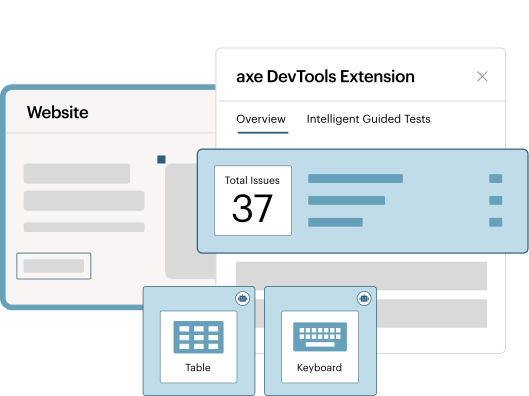
Automation is your friend! While running comprehensive audits, we’ve found that the majority of issues are easily detectable in automated tests. Make sure to supplement your automated testing efforts with an expert performing manual testing to look out for the more complex issues.
The benefits of ADA compliance are clear
Serving a wider audience
The World Health Organization reports over 16% of the globe’s population has a disability.
Decreased legal risk
Organizations who actively pursue accessibility excellence are better positioned to address claims and avoid costly violations.
Increased search presence
Providing transcripts for audio visual files are discoverable by search engines.
Better overall user experience
Studies show that optimizations made in UI/UX for accessibility also benefit people without disabilities
Additional resources

Axe-con
The world’s largest digital accessibility conference is just a click away. It’s free, virtual, and unbelievably good.

Essential Guide
Understand the basics of web accessibility with this handy collection of stats and definitions.

ADA Title II strategy
Learn how to get started with compliance, strategize funding, slash risk and ensure ROI.
Frequently asked questions
How does the ADA define compliance?
The short answer: Let WCAG 2.2 A/AA be your guide. The ADA mandates WCAG 2.2 A/AA as the criteria for measuring digital accessibility for Title II. And the US DOJ has issued numerous consent decrees and settlement agreements related to Title III requiring WCAG 2.2 A/AA. The DOJ has also published updated guidance on web accessibility, referencing WCAG as the standard. WCAG is the way to go.
What does success look like? The “levels of conformance” are broken down into three stages:
- A (basic conformance): Required
- AA (intermediate conformance): Required
- AAA (advanced conformance): Optional/Best practice
What is the difference between ADA, Section 508, and WCAG?
The Americans with Disabilities Act (ADA) is a United States civil rights law established to protect the rights of people with disabilities including their right to employment, public services, and public accommodations. It applies to US citizens and organizations.
Section 508 of the Rehabilitation Act of 1973 is a United States law that requires the Federal Government to provide access to its Information and Communication Technology (ICT) to people with disabilities. This applies to US government agencies and citizens.
The Web Content Accessibility Guidelines (WCAG) aren’t a law at all. Instead, they are the technical guidelines created by the World Wide Web Consortium (W3C) for accessible web-based content. WCAG is the global standard adopted by the accessibility community and is the testable basis which many global laws reference.
Can a widget or overlay solution solve my web accessibility issues?
If something claims to be a magic one-size-fits-all fix to your accessibility concerns, there’s a good chance that it’s too good to be true.
Solutions that offer 100% ADA compliance with a plug-in or widget ultimately put your business at further legal risk. If you notice an additive service, that means the site owner is paying a third-party provider to alter how their site is presented to its users, instead of fixing the issues at the source code level.
In a recent lawsuit, an eyewear retailer was required to pay for an external expert audit and to dedicate more staff to accessibility work as a result of using tool-based accessibility overlays.
How often should I perform an ADA audit?
Like the state of your health changes, your website accessibility health is constantly changing. An accessible website from last month might not hold up today.
Digital accessibility and ADA compliance is not one and done, but instead, it’s an ongoing program that needs maintenance and care.
You might start an audit when you want to:
- Address new compliance concerns.
- Determine your risk level.
- Onboard new contractors or vendors.
- Check your work ongoing.
- Start a new website project (migration, redesign).
