Aujourd’hui, nous faisons presque tout en ligne, qu’il s’agisse de consulter nos comptes bancaires, de remplir des formulaires de santé ou d’utiliser les services publics. Mais pour des millions de personnes en situation de handicap, ces outils numériques ne fonctionnent pas toujours comme ils le devraient.
Pour remédier à cette situation, la Commission australienne des droits de l'homme a publié de nouvelles recommandations qui précisent comment rendre les sites web, les applications et autres services numériques plus faciles à utiliser pour tous, y compris les personnes en situation de handicap.
Ces nouvelles règles ne visent pas seulement à respecter la loi. Elles ont pour but d'aider les organisations à toucher un public plus large, à offrir une meilleure expérience aux utilisateurs et à montrer qu'elles se soucient de l'inclusion.
Si vous dirigez une entreprise ou proposez des services en Australie, ces mises à jour vous concernent. Dans cet article, nous allons vous présenter les nouveautés et vous expliquer en quoi elles sont importantes. Nous vous montrerons comment l'accessibilité numérique peut aider votre entreprise et vous donnerons des conseils pour commencer à vous conformer aux nouvelles directives.
Quelles sont les nouveautés, et pourquoi sont-elles importantes ?
Les nouvelles lignes directrices fournissent une explication plus large et plus complète des services numériques concernés. Elles abordent également de nombreuses nouvelles technologies et de nombreux nouveaux services apparus depuis la rédaction initiale de ces lignes directrices. Enfin, celles-ci recommandent vivement aux entreprises de se conformer aux WCAG 2.2.
Élargissement de la définition des « services numériques »
Auparavant, il n’était pas toujours évident de déterminer quels outils numériques devaient être accessibles en vertu de la loi sur la discrimination fondée sur le handicap (DDA). Alors que de nombreux services étaient considérés comme relevant de cette loi, les nouvelles directives énumèrent désormais clairement les services numériques qui doivent respecter les normes d’accessibilité, éliminant ainsi toute confusion potentielle. Il s’agit notamment :
- Sites web
- Applications mobiles
- Formulaires en ligne
- Kiosques numériques
- Distributeurs automatiques de billets et caisses en libre-service
- Fichiers PDF et documents en ligne
- Vidéos, e-mails et même publications sur les réseaux sociaux
Pourquoi est-ce important ? :
Cette mise à jour aide les organisations à bien comprendre leurs obligations. Elles peuvent ainsi s'organiser en conséquence et intégrer l'accessibilité numérique dans leur planification. En concevant leurs solutions de manière accessible dès le départ, elles réalisent des économies et gagnent du temps. Il en résulte une réduction des obstacles pour les personnes en situation de handicap et une meilleure expérience numérique pour tous.
À la découverte des nouvelles technologies et des nouvelles expériences
Les lignes directrices mises à jour font spécifiquement référence à des outils récents tels que les chatbots, les assistants vocaux et la reconnaissance faciale, précisant clairement que l'accessibilité numérique est également attendue dans ce domaine.
Pourquoi est-ce important ? :
L'intégration de ces nouveaux produits et services montre clairement que l'accessibilité numérique doit suivre le rythme de l'innovation technologique.
Conformité aux normes internationales
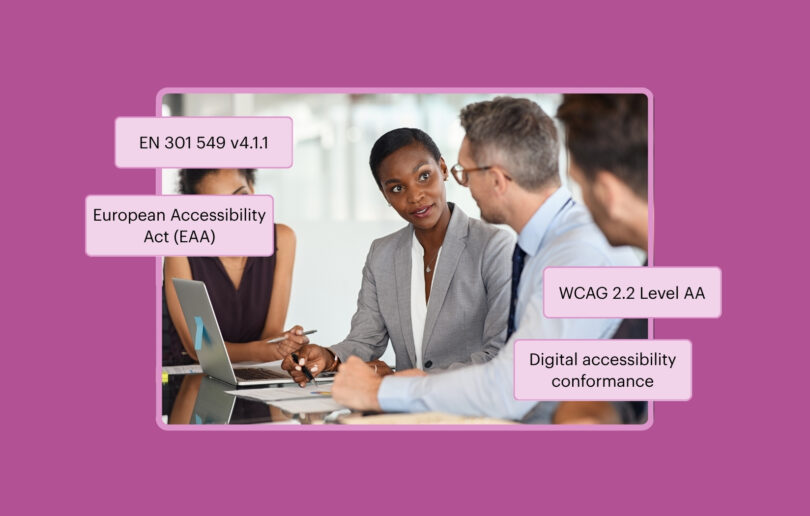
Les nouvelles lignes directrices recommandent vivement aux organisations de se conformer aux WCAG 2.2, niveau AA.
Les WCAG reposent sur quatre principes clés souvent désignés par l'acronyme POUR :
- Perceptible: Les personnes peuvent-elles voir, entendre ou percevoir le contenu d'une autre manière ?
- Facilité d'utilisation: les utilisateurs peuvent-ils s'y repérer et l'utiliser, quelle que soit la manière dont ils interagissent avec lui ?
- Compréhensible: le contenu est-il clair et facile à suivre ?
- Fiabilité: L'expérience fonctionne-t-elle sur différents appareils et avec différentes technologies d'assistance ?
Les nouvelles lignes directrices font également référence à la norme européenne EN 301 549, ce qui montre que l'Australie entend s'aligner sur les normes mondiales en matière d'accessibilité.
Pourquoi est-ce important ? :
Le respect des directives WCAG 2.2 permet aux organisations d'aller bien au-delà d'une simple formalité. Il s'agit de créer des espaces numériques accessibles à tous. Cela permet également aux équipes internationales de garantir plus facilement la cohérence et la conformité de leurs pratiques d'une région à l'autre.
En quoi cela est-il bénéfique pour l'entreprise ?
Accorder la priorité à l'accessibilité n'est pas seulement la bonne chose à faire : c'est aussi un avantage concurrentiel.
Les expériences numériques accessibles aident les organisations à :
- Touchez davantage d'utilisateurs: près d'un Australien sur cinq vit avec un handicap (ABS, 2022), ce qui représente un segment de marché important.
- Améliorer les performances en matière de référencement naturel (SEO): des fonctionnalités telles que les textes alternatifs, le HTML sémantique et une structure logique permettent d'améliorer le classement dans les résultats de recherche et la visibilité.
- Améliorer la satisfaction client: une conception accessible se traduit souvent par une navigation plus claire, une meilleure adaptation aux appareils mobiles et un parcours utilisateur plus fluide pour tous.
- Réduire les risques juridiques: alors que l'AHRC renforce ses exigences, le fait de se conformer aux nouvelles directives permet de pérenniser votre entreprise face à d'éventuelles plaintes ou contestations judiciaires.
Il a été démontré que les sites web accessibles se chargent plus rapidement, obtiennent un meilleur classement dans les moteurs de recherche et réduisent les taux de rebond.
Mesures concrètes pour commencer à s'aligner sur les nouvelles directives
Voici quatre mesures concrètes que vous pouvez commencer à mettre en œuvre dès aujourd’hui :
1. Réaliser un audit d'accessibilité
Que faire:
Vérifiez que votre site web, vos applications, vos formulaires et tout autre contenu numérique ne présentent pas de problèmes susceptibles d'empêcher une personne de les utiliser, tels que des libellés manquants dans les formulaires, un contraste de couleurs insuffisant ou une navigation compliquée.
Comment procéder:
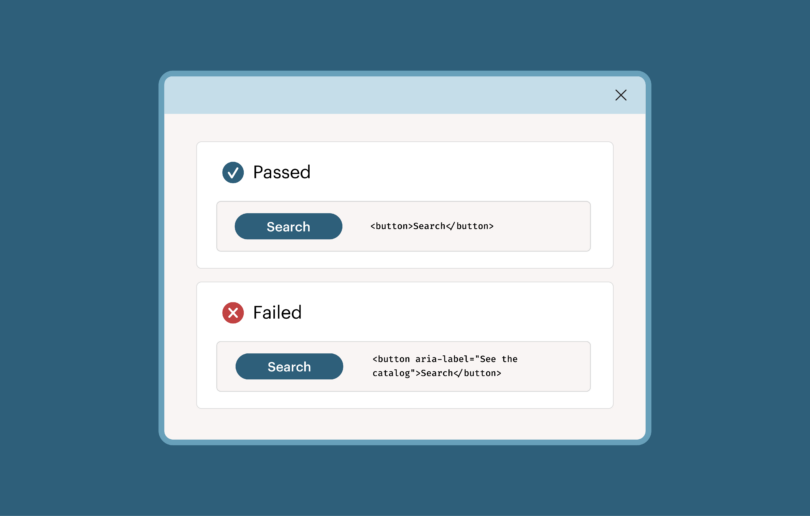
Utilisez des outils gratuits ou payants, tels qu’Axe DevTools, pour analyser votre contenu numérique. Ces outils mettent en évidence les problèmes courants d’accessibilité numérique, expliquent ce qui ne va pas et proposent des conseils de correction pour améliorer votre code. Une fois les problèmes identifiés, commencez par corriger en priorité ceux qui sont les plus critiques et qui constituent des obstacles majeurs pour les personnes en situation de handicap. Il peut s’agir, par exemple, de « pièges de clavier » ou de textes alternatifs manquants. Si vous ne savez pas comment les corriger, vous pouvez faire appel à un spécialiste de l’accessibilité ou contacter des prestataires spécialisés dans les tests d’accessibilité et la mise en conformité.
2. Assurez-vous que votre contenu soit compatible avec les technologies d'assistance
Que faire:
Mettez à jour vos documents, images, vidéos et publications sur les réseaux sociaux afin qu’ils soient accessibles aux personnes qui utilisent des lecteurs d’écran, des sous-titres ou des commandes vocales.
Comment procéder:
Des mesures comme celles-ci contribuent à rendre le contenu accessible et utilisable par tous :
- Ajoutez un texte alternatif à toutes les images : décrivez ce que l'on voit sur l'image et expliquez en quoi cela est important.
- Pour les fichiers PDF, veillez à utiliser une structure de titres et de balises appropriée afin que les lecteurs d'écran puissent y naviguer correctement. Des outils tels qu'Adobe Acrobat Pro peuvent vous y aider.
- Pour les vidéos, ajoutez des sous-titres et des transcriptions précis. Des outils comme YouTube ou Descript vous facilitent la tâche.
- Lorsque vous publiez sur les réseaux sociaux, utilisez un langage simple, la notation PascalCase pour les hashtags (#CeciEstUnExemple) et rédigez des descriptions d'images dans votre publication. Si la plateforme propose une option permettant d'ajouter un texte alternatif, n'hésitez pas à le faire.
3. Intégrer l'accessibilité dès la conception
Que faire:
Le « shift left »consiste à prendre en compte l’accessibilité dès le début et tout au long du processus de développement. Il est bien plus efficace et performant de détecter et de corriger les problèmes d’accessibilité dès les phases de planification et de conception que d’essayer d’y remédier une fois le développement terminé.
Comment procéder:
Les étapes suivantes peuvent vous aider à intégrer l'accessibilité numérique au quotidien dans votre flux de travail :
- Commencez par intégrer des contrôles d'accessibilité à votre processus de conception et de développement, tout comme vous le feriez pour les performances ou la sécurité.
- Utilisez des principes de conception axés sur l'accessibilité, tels que des zones tactiles de grande taille, un bon contraste des couleurs et des polices faciles à lire.
- Intégrez des personnes en situation de handicap dans vos études et tests utilisateurs. Cela peut passer par une collaboration avec des consultants en accessibilité, un partenariat avec des associations locales de défense des personnes en situation de handicap ou l'utilisation de plateformes de tests d'ergonomie à distance regroupant des participants issus de la diversité.
- Assurez-vous que votre équipe comprenne bien ce qu'implique l'accessibilité dans différents contextes d'utilisation, qu'il s'agisse d'un site web, d'une application, d'une borne interactive ou d'un chatbot.
4. Formez vos équipes
Que faire:
L'accessibilité est le fruit d'un travail d'équipe. Chacun doit comprendre en quoi elle s'inscrit dans son rôle.
Comment s'y prendre:
Même si vous n'êtes pas encore un expert en la matière, vous pouvez mettre en place une formation à l'accessibilité numérique et accompagner vos équipes en suivant les étapes suivantes :
- Commencez par une formation de sensibilisation destinée à toutes les personnes concernées : concepteurs, développeurs, responsables marketing, rédacteurs de contenu et dirigeants.
- Utilisez des ressources adaptées aux débutants, telles que l'Deque University, des guides explicatifs gratuits sur les WCAG ou des formations courtes sur des plateformes comme LinkedIn Learning ou Coursera.
- Choisissez un ou deux membres de l'équipe pour approfondir le sujet et développer une expertise en interne : ils pourront devenir vos référents en matière d'accessibilité.
- Intégrez l'accessibilité dans vos processus d'intégration, vos procédures d'achat et vos listes de contrôle de projet.
Si la formation vous semble hors de portée, pensez à faire appel à un partenaire pour vous aider à renforcer progressivement les connaissances de votre équipe.
Intégrer l'accessibilité à votre stratégie numérique
Chez Deque, nous aidons les équipes à intégrer l'accessibilité à chaque étape du cycle de vie numérique, de la planification et de la conception au développement, en passant par les tests et les mises à jour de contenu. Nous combinons des conseils d'experts, des outils pratiques et des formations spécialisées pour vous aider à créer des expériences numériques inclusives, de manière évolutive, durable et centrée sur l'humain.
Nous pouvons analyser vos produits numériques actuels, vous montrer dans quelle mesure ils répondent aux dernières exigences et vous aider à définir vos priorités en fonction de l'impact réel sur les utilisateurs et de vos objectifs commerciaux.
Prenez rendez-vous dès aujourd'hui pour une consultation stratégique gratuite sur l'accessibilité.