We’re excited to share details about Axe-core 4.14.0, including a key update aligned with the Web Content Accessibility Guidelines (WCAG) Success Criterion 2.5.3: Label in Name, which affects the use of voice control.
Voice control enables users to operate digital devices using spoken words. People who use voice control, for example, can activate an on-screen button by saying its label. But if the button’s accessible name doesn’t contain that label, the command may not work.
With our latest update, when you scan with Axe-core 4.14.0, you’ll now get a result for any control whose accessible name doesn’t contain its visible label. Previously, you had to turn on an experimental rule to get these results.
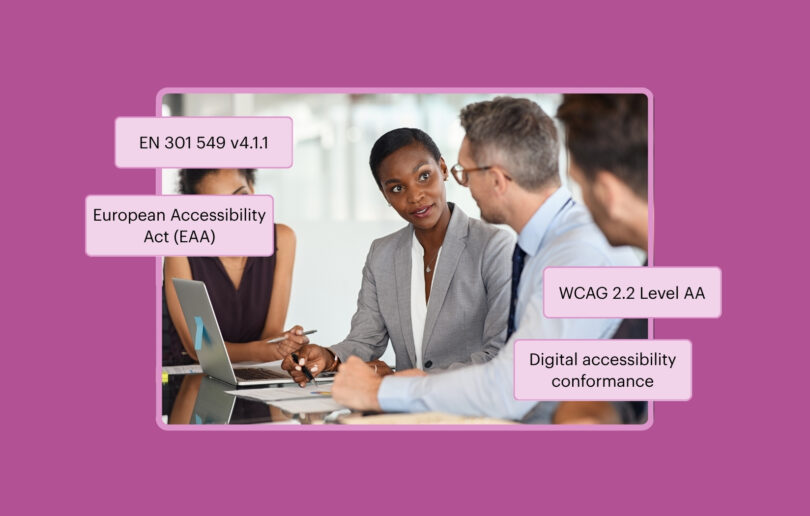
This Axe-core release also speeds up scans, makes fix instructions clearer, and begins support for EN 301 549 v4.1.1, the pending update to the European Union’s (EU) harmonized standard for accessibility requirements.
Let’s first look at the WCAG success criterion. I’ll explain what it is, what’s changed about the issue it addresses, and why those changes prompted us to update the Axe-core rule.
Get Label in Name results in every scan
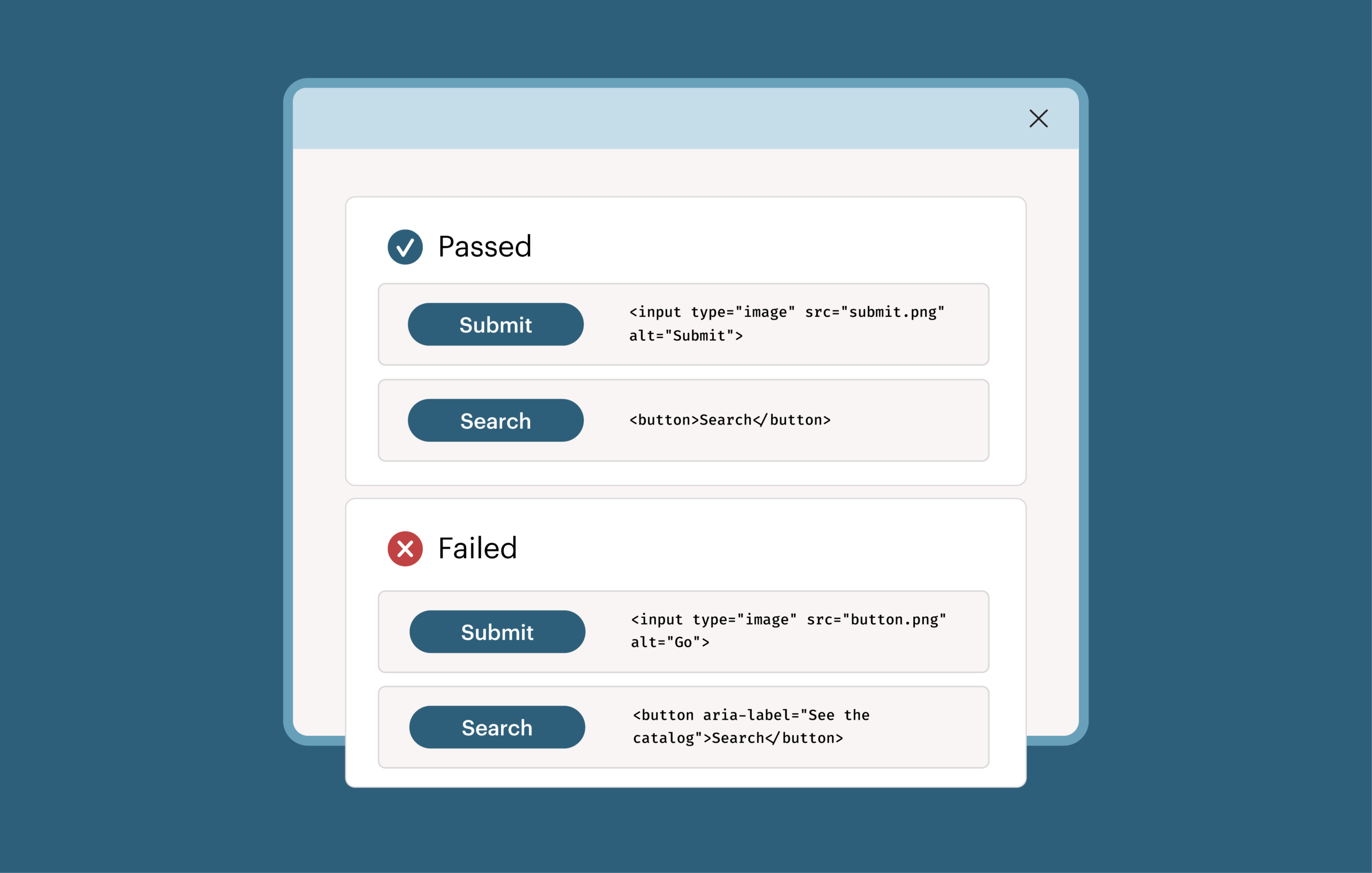
WCAG 2.1 added Success Criterion 2.5.3, Label in Name. It requires the visible label of a control to be part of its accessible name. The accessible name is what assistive technology uses to identify the control.
In the example below, the button displays “Home,” but its accessible name, set with an Accessible Rich Internet Applications (ARIA) label, is “Start page”:
<button aria-label="Start page">Home</button>
A person who uses voice control and says “click Home” may not be able to activate it. Axe-core 4.14.0 will now report this button.
To fix this, make the accessible name match the visible label. In the example above, that means removing the aria-label so the name is “Home.”
Why the rule was off by default
The Axe-core rule for this criterion was previously off by default. Most teams never ran it, so we got no coverage for the rule. We also weren’t confident about what the rule needed. WCAG describes the theory of how voice control works with the criterion, but we couldn’t find anyone who could confirm that it works in practice.
Part of the challenge was that the criterion was written when Dragon NaturallySpeaking was the main voice-control option. Dragon is dictation software that people can use as assistive technology. However, that’s not what it’s intended for. The criterion assumes that voice control uses the accessible name, but Dragon, the tool it was written around, uses the visible text. So announcing the visible text will always work. MacOS had Voice Control, but while WCAG only requires the visible text to be a part of the accessible name, on macOS, things only work if these are an exact match. That left us unsure about the actual benefit of this requirement.
These days, macOS, iOS, Android, and Windows all have voice control built in. We couldn’t find information on how these work, so we had to test them ourselves.
What we found
- All of the tools we tested responded to the accessible name.
- Dragon also responded to the visible text. None of the other tools we tested did.
- All tools except for Apple’s work when the visible text is anywhere within the accessible name.
- MacOS still requires an exact text match, but iOS works as long as the visible text is at the start of the accessible name.
This means that WCAG, which requires the visible text to be part of the accessible name, works everywhere except on macOS and iOS. Because WCAG explicitly calls putting the visible text at the start of the name a best practice, Axe-core can still pass cases that would not work in Apple’s Voice Control. We’ll create a separate best-practice rule for a future release.
Changes we made before turning the rule on
Turning the rule on is part of our work to increase automated coverage. In the process, we changed how the rule works to reduce false positives. The rule now:
- Compares the visible label and the accessible name word by word.
- Properly ignores text in parentheses.
- Supports non-Latin scripts, including Chinese, Japanese, and Korean (CJK) text and full-width characters.
Other tools compare text by whitespace characters. That produces false positives in CJK languages.
Let’s now look at some of the other updates.
Faster scans, especially on large pages
Scans now run 20 to 40 percent faster on most pages. On especially large pages, we measured scans that ran 15 times faster. One source of that improvement is our selector generation algorithm. Axe-core returns a selector for each element in its results so you can find that element in your code. A large page has many elements, so the improvement has the most impact there.
Other changes in 4.14.0
- Clearer messages. Messages for several rules now tell you how to fix the problem, including
aria-hidden-focus, no-focusable-content, and the list item checks. Checks that can report “needs review” now include a message for it. For example, the list item message changed from “List item does not have a<ul>,<ol>parent element” to “List item does not have a<ul>ou<ol>parent element. Ensure the<li>is a direct child of a<ul>ou<ol>, or that the parent hasrole="list".” - Azerbaijani translation. Axe-core now supports 18 languages, including Azerbaijani. The German translation is also updated.
- Color contrast and CSS color strings. Color contrast checks now handle the none keyword and exponents in Cascading Style Sheets (CSS) color strings.
- Case-sensitive ARIA values.
aria-allowed-attrnow reports case-sensitive ARIA attributes whose values aren’t lowercase. - Fewer false positives. You’ll see fewer incorrect results from these rules:
p-as-headingignores paragraphs that have heading roles.avoid-inline-spacingtests the text that receives the spacing.scrollable-region-focusablereports content with a negative tabindex as “needs review” instead of failing it.aria-required-childrenallows captions in tables, grids, and treegrids.color-contrastreports empty text inputs with low contrast as “needs review.”target-sizeignores overlapping links with the same destination.
Preparing for EN 301 549 v4.1.1
EN 301 549 is the European standard for accessibility requirements for Information and Communications Technology (ICT) products and services in the European Union.
On September 2, 2026, EN 301 549 v4.1.1 was officially published. The next step in the process will occur when EN 301 549 v4.1.1 is cited in the Official Journal of the European Union. It is currently on track to be cited in the journal around November 30, 2026. When cited, it will become the harmonized standard that confers presumption of conformity.
To learn more about this process and what it means for your organization, you can read “EN 301 549 v4.1.1 is final! What changed, what it means, and what you should do,” by my colleague Matthew Luken, Deque’s Senior Vice President of Global Programs and Regulatory Affairs.
We’re adding support now to ensure that our tools are ready. As Matthew makes clear in his article, organizations should start preparing for conformance to EN 301 549 v4.1.1 now.
- Available today: Axe-core 4.14.0 adds EN 301 549 v4 tags to the target-size rule. This rule checks whether the click area of a control is large enough, including the space around it. Target Size (Minimum) is one of nine WCAG 2.2 success criteria that v4.1.1 adds. Tags label each rule with the standards it maps to, so you can filter your results by standard.
- Coming in November: A rule set for EN 301 549 v4.1.1 in our products. We’ll announce it separately.
What happens when you upgrade to Axe-core 4.14.0
Your issue totals may rise after you upgrade. The rule is on by default, and this release adds new violations in some existing rules. Fixes to false positives may also lower your totals. A higher total means Axe-core is reporting issues it didn’t report before, not that your site got worse. Results from the new rule appear under label-content-name-mismatch.
To get these changes, upgrade to Axe-core 4.14.0. The release notes list every change.
Also, as a reminder, Axe-core is one piece of a larger toolset. To learn about the full platform, please visit the Axe Platform page.
Thank you to the open-source community
Axe-core is open source, and community contributions are part of every release. Over the past month or so, many people have worked on open issues in Axe-core, and several of the resulting pull requests were merged this cycle.
Thank you to everyone who filed an issue, wrote a fix, tested a change, or improved a translation.