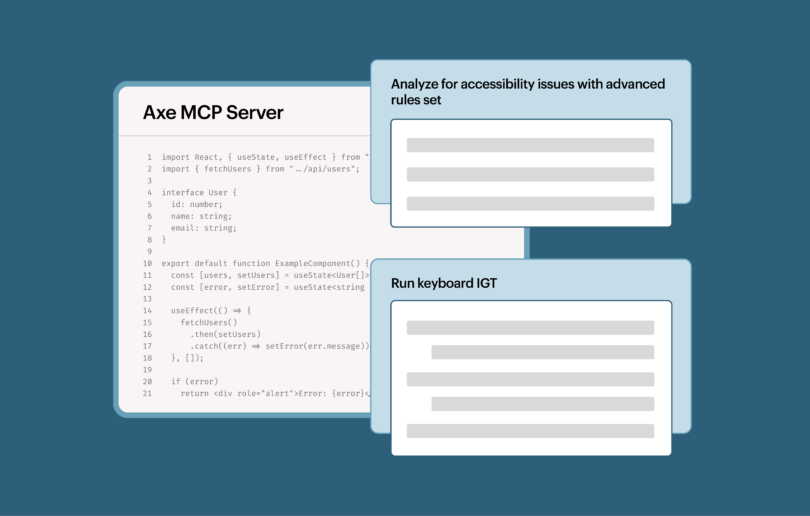

Wir haben unsere Unterstützung für integrierte Entwicklungsumgebungen (IDE) gerade verdreifacht! Neben einer VS Code-Erweiterung bietet Deque nun auch den axe DevTools Linter als Plugin für die kostenpflichtigen Editionen von IntelliJ IDEA und WebStorm an.
Eine kurze Auffrischung zum Axe DevTools Linter
Axe DevTools Linter ist ein leistungsstarkes Tool für Ihr Softwareentwicklungsteam. Wir bieten eine kleine Linting-Toolbox, mit der sich Probleme an verschiedenen Stellen Ihres Entwicklungsprozesses erkennen lassen:
- Direkt in der integrierten Entwicklungsumgebung (IDE). Es ist wie eine Rechtschreibprüfung, nur für Barrierefreiheit.
- Git Pre-Commit-Hooks. Entwickler erhalten Feedback zur Barrierefreiheit, wenn sie Änderungen lokal mit Git festschreiben.
- Integration von Continuous Integration/Continuous Delivery (CI/CD). Wenn Entwickler einen Pull-Request einreichen, werden diese Änderungen automatisch auf Barrierefreiheit geprüft. Wir verfügen über eine GitHub Action zur Verfügung, sowie weitere Tools, die die Integration weiterer Funktionen vereinfachen.
Je mehr „Ebenen“ von Funktionen Sie im axe DevTools Linter nutzen, desto geringer ist die Wahrscheinlichkeit, dass Probleme mit der Barrierefreiheit in die Produktion gelangen – das spart Ihnen Zeit und Geld.
Sehen Sie sich das neue Plugin in Aktion an
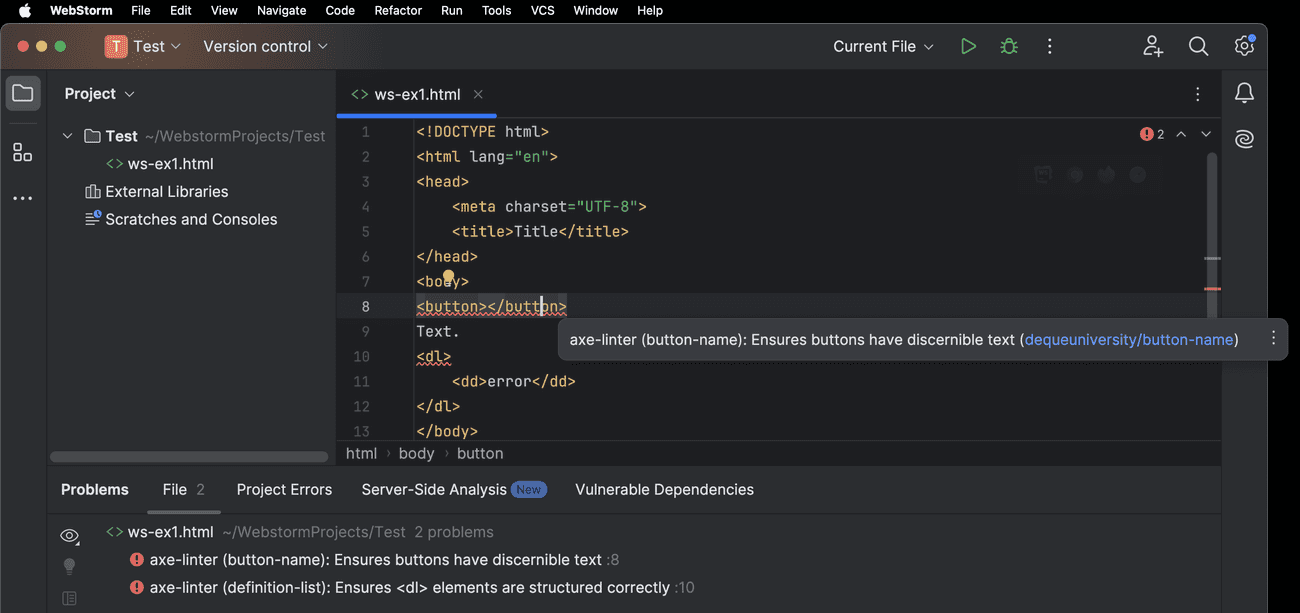
Das „axe DevTools Linter“-Plugin markiert Barrierefreiheitsfehler in der IDE mit einer roten Wellenlinie und zeigt einen Tooltip mit einer Fehlerbeschreibung an. Der Tooltip enthält einen Link zu Deque der Universität , über den Sie weitere Informationen zu dem angegebenen Barrierefreiheitsfehler erhalten. Die Barrierefreiheitsfehler werden außerdem im Toolfenster „Probleme“ der IDE an, wie unten in WebStorm dargestellt:
Auch Komponentenbibliotheken kommen nicht zu kurz
Der Axe DevTools Linter funktioniert direkt „out-of-the-box“, aber mit ein paar kleinen Anpassungen können Sie noch mehr aus ihm herausholen. Konfigurieren Sie den Linter so, dass er bestimmte Dateien ignoriert, passen Sie die verwendeten Regeln an und legen Sie sogar Ausnahmen fest, um dem Linter mitzuteilen, wie er eine Datei mit einer nicht standardmäßigen Dateiendung behandeln soll.
Stellen Sie sich vor, Sie könnten Ihrem Team sagen: „So nutzt man die Komponentenbibliothek barrierefrei“ – genau das ist jetzt möglich. Mit dem Axe DevTools Linter können Sie Linting-Regeln für Ihre Komponentenbibliothek. Sehen Sie sich ein aktuelles Webinar darüber an, wie Sie die Barrierefreiheit für Material-UI-Komponenten sicherstellen können , das sich ausführlicher mit diesem Thema befasst.
Diese Anpassungen sind nun in den IntelliJ- und WebStorm-Editionen von axe DevTools Linter verfügbar.
Was ist kostenlos? Was nicht?
Der Axe DevTools Linter unterstützt nun drei IDEs:
- VS Code – es heißt „axe Accessibility Linter“
- IntelliJ IDEA Ultimate
- Kostenpflichtige Versionen von WebStorm
Die VS Code-Version von axe DevTools Linter ist kostenlos erhältlich.
Die Plugins für IntelliJ IDEA und WebStorm sind Premium-Funktionen, die beim Kauf von axe DevTools Linter als eigenständiges Tool oder als Teil unseres axe DevTools HTML-Toolkits verfügbar sind. Kontaktieren Sie uns , wenn Sie an diesen Tools interessiert sind. Pre-Commit-Hooks und CI/CD-Integrationen sind weitere verfügbare Premium-Funktionen.
Zusammenfassung
Für Unternehmen, die IntelliJ IDEA und WebStorm einsetzen, ist der axe DevTools Linter nun noch leistungsfähiger geworden. Geben Sie Ihren Entwicklern die Möglichkeit, die Barrierefreiheit bereits in frühen Entwicklungsphasen zu berücksichtigen und Probleme bei der Barrierefreiheit direkt in der IDE zu erkennen.
Wenden Sie sich an unser Vertriebsteam , um eine kostenlose Testversion von axe DevTools Linter oder das vollständige axe DevTools HTML-Toolkit zu erhalten.