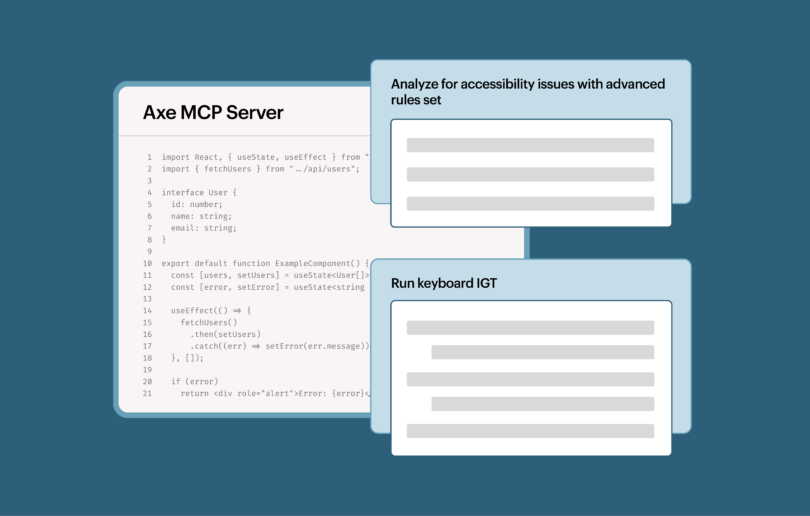

Nous venons de tripler la prise en charge de notre environnement de développement intégré (IDE) ! Outre une extension pour VS Code, Deque propose désormais axe DevTools Linter sous forme de plugin pour les éditions payantes d'IntelliJ IDEA et de WebStorm.
Petit rappel sur le linter d'Axe DevTools
Axe DevTools Linter est un outil puissant destiné à votre équipe de développement logiciel. Nous proposons une mini-boîte à outils de linting qui permet de détecter les problèmes à différentes étapes de votre processus :
- Directement dans l' environnement de développement intégré (IDE). C'est comme un correcteur orthographique, mais dédié à l'accessibilité.
- Git hooks de pré-commit. Les développeurs reçoivent des commentaires sur l'accessibilité lorsqu'ils valident des modifications localement avec Git.
- Intégration continue/Livraison continue (CI/CD). Lorsque les développeurs soumettent une pull request, un processus automatisé de vérification de l'accessibilité analyse ces modifications. Nous disposons d'un action GitHub disponible, ainsi que d'autres outils pour faciliter la mise en place d'intégrations supplémentaires.
Plus vous utilisez de « couches » de fonctionnalités du linter d'axe DevTools, moins il y a de risques que des problèmes d'accessibilité se glissent dans la version de production, ce qui vous permet d'économiser du temps et de l'argent.
Découvrez le nouveau plugin en action
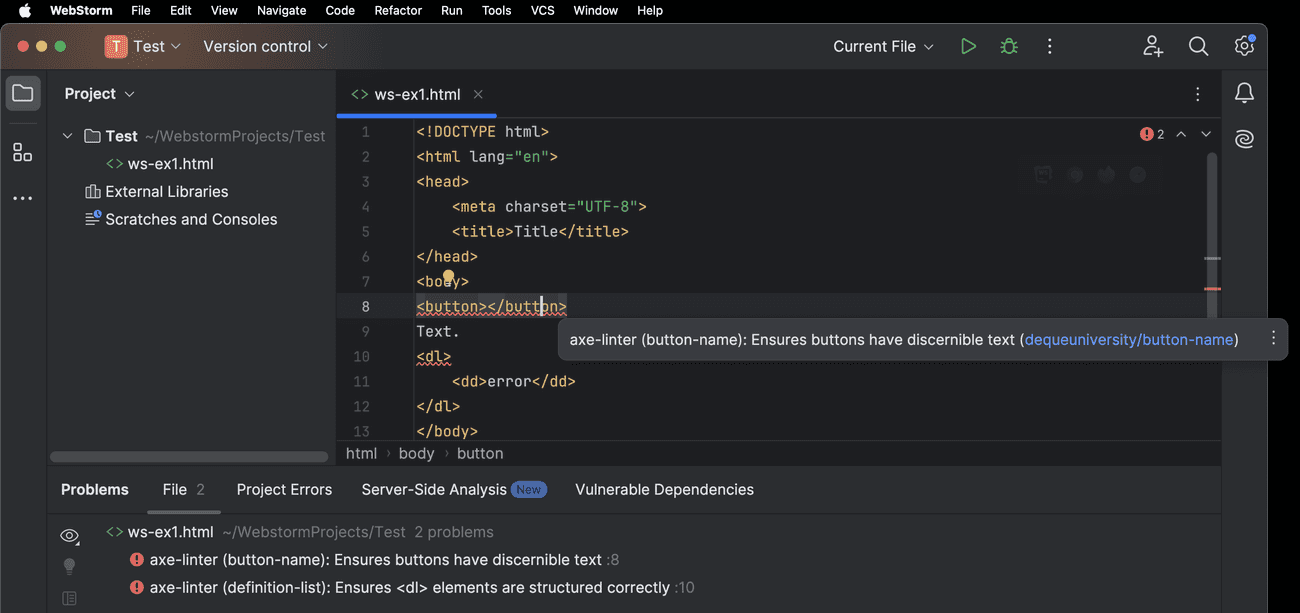
Le plugin « DevTools Linter » d'Axe met en évidence les erreurs d'accessibilité dans l'IDE à l'aide d'une ligne ondulée rouge et affiche une info-bulle indiquant la nature de l'erreur. L'info-bulle comprend un lien vers Deque l'université pour plus d’informations sur l’erreur d’accessibilité en question. Les erreurs d’accessibilité apparaissent également dans la fenêtre d'outils « Problèmes » de l’IDE, comme illustré ci-dessous dans WebStorm :
Les bibliothèques de composants ont elles aussi la part belle
Le linter Axe DevTools fonctionne immédiatement « tel quel », mais avec quelques ajustements, vous pouvez en tirer encore davantage parti. Configurez le linter pour qu’il ignore certains fichiers, personnalisez les règles utilisées et définissez même des règles de remplacement pour indiquer au linter comment traiter un fichier dont l’extension n’est pas standard.
Imaginez pouvoir dire à votre équipe : « Voici comment utiliser la bibliothèque de composants de manière accessible » – c'est désormais possible. Axe DevTools Linter vous permet de définir des règles de linting pour votre bibliothèque de composants. Découvrez un webinaire récent sur la manière de garantir l’accessibilité des composants Material UI , qui aborde ce sujet plus en détail.
Ces personnalisations sont désormais disponibles dans les éditions IntelliJ et WebStorm d'axe DevTools Linter.
Qu'est-ce qui est gratuit ? Qu'est-ce qui ne l'est pas ?
Le linter Axe DevTools prend désormais en charge 3 IDE :
- Dans VS Code, il s'appelle « axe Accessibility Linter »
- IntelliJ IDEA Ultimate
- Éditions payantes de WebStorm
L' version VS Code d'axe DevTools Linter est disponible gratuitement.
Les plugins pour IntelliJ IDEA et WebStorm sont des fonctionnalités premium disponibles à l'achat d'axe DevTools Linter, soit en tant qu'outil autonome, soit dans le cadre de notre suite d'outils axe DevTools HTML. Contactez-nous si ces outils vous intéressent. Des hooks de pré-commit et des intégrations CI/CD sont également disponibles en tant que fonctionnalités premium supplémentaires.
Pour conclure
Pour les entreprises qui utilisent IntelliJ IDEA et WebStorm, le linter axe DevTools vient de gagner en puissance. Donnez à vos développeurs les moyens d’intégrer l’accessibilité dès les premières étapes du développement et de détecter les problèmes d’accessibilité directement dans l’IDE.
Contactez notre équipe commerciale pour bénéficier d'un essai gratuit d'axe DevTools Linter ou de la suite complète d'outils HTML axe DevTools.