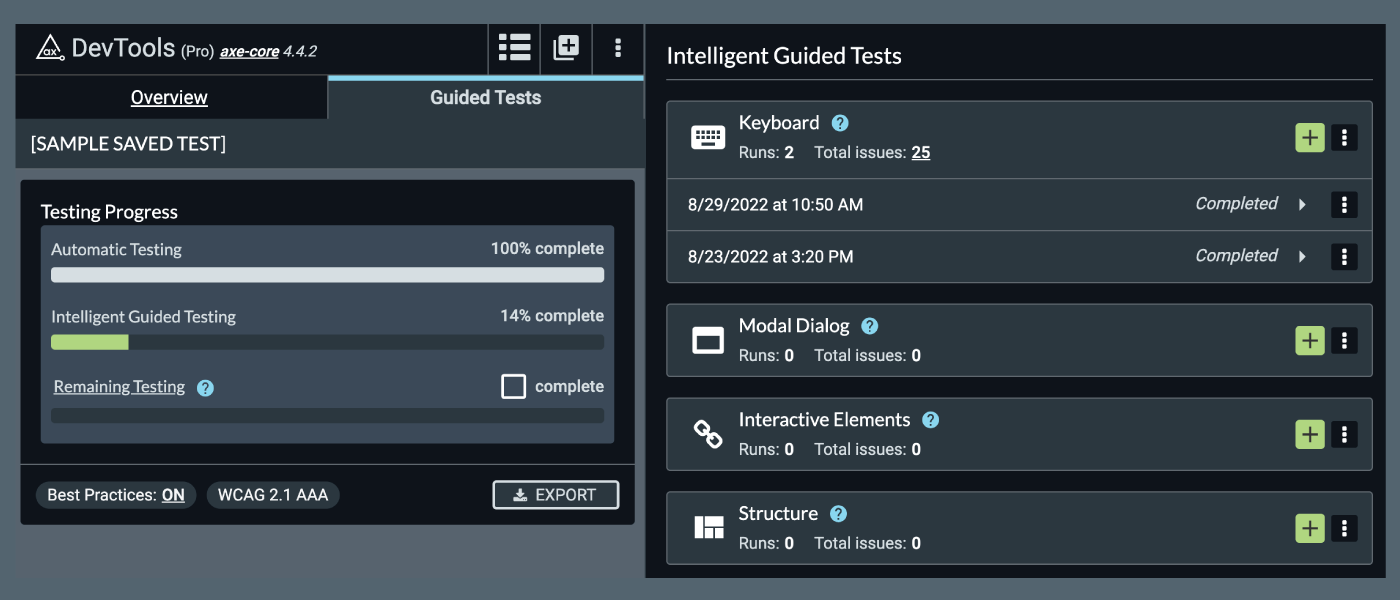
Mit der neuen Version der DevTools-Browsererweiterung von axe können Nutzer eine gesamte Seite einfacher testen, indem sie denselben „Intelligent Guided Test“ (IGT) mehrmals ausführen. Heutzutage enthält fast jede Seite auf jeder Website zumindest einige interaktive Elemente, dynamische Inhalte und in der Regel mehr als ein Formular oder einen modalen Dialog. Um all diese Elemente zu testen und die Ergebnisse zu speichern, mussten bisher für jedes Element völlig separate Tests eingerichtet werden.
Nun können Nutzer den gesamten Inhalt ihrer Seite in einem einzigen Testdurchlauf prüfen, was enorm viel Zeit und Aufwand spart und einen zentralen Überblick über alle Tests für komplexe Seiten bietet! Darüber hinaus enthält diese Version mehrere Verbesserungen der Benutzeroberfläche, darunter die Neuanordnung einiger Steuerelemente.
Was gibt’s Neues?
Verbesserte Benutzeroberfläche (UI) für Suchergebnisse
Wir haben den Bildschirm mit den Scan-Ergebnissen grundlegend überarbeitet. Sehen Sie sich dieses kurze Demo-Video an, um zu erfahren, was es Neues in der Erweiterung gibt.
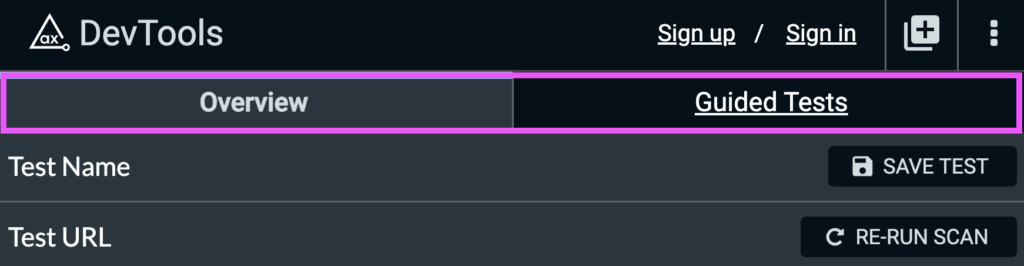
- Neue Registerkarten für „Übersicht“ und „Geführte Tests“.
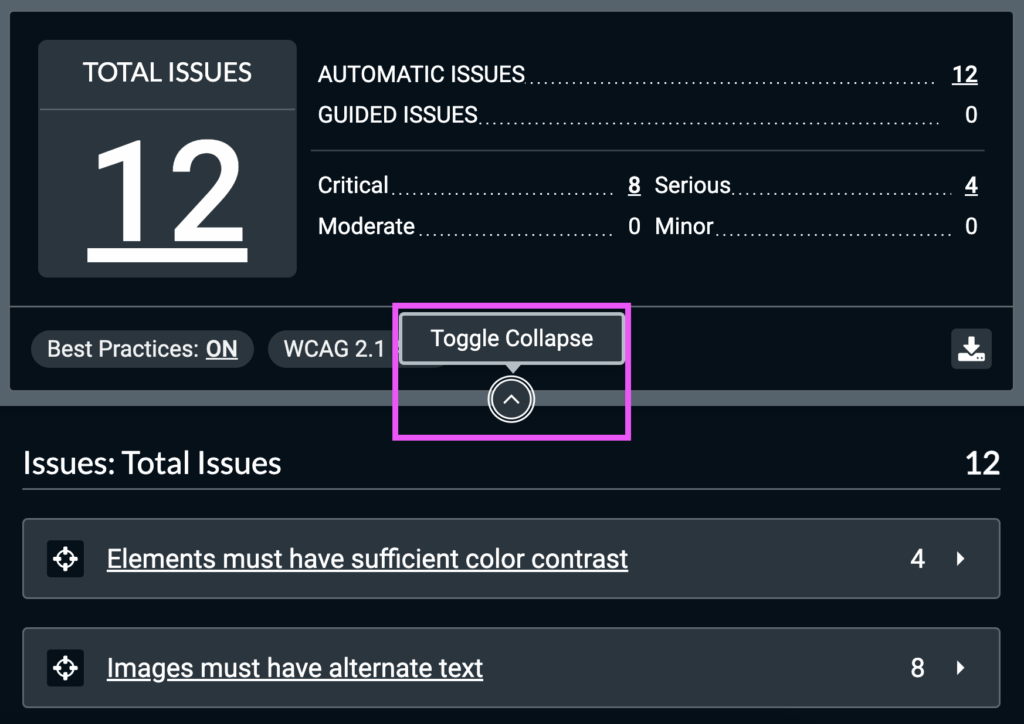
- Eine Schaltfläche „Ein-/Ausblenden“, um den Abschnitt „Testzusammenfassung“ ein- bzw. auszublenden.
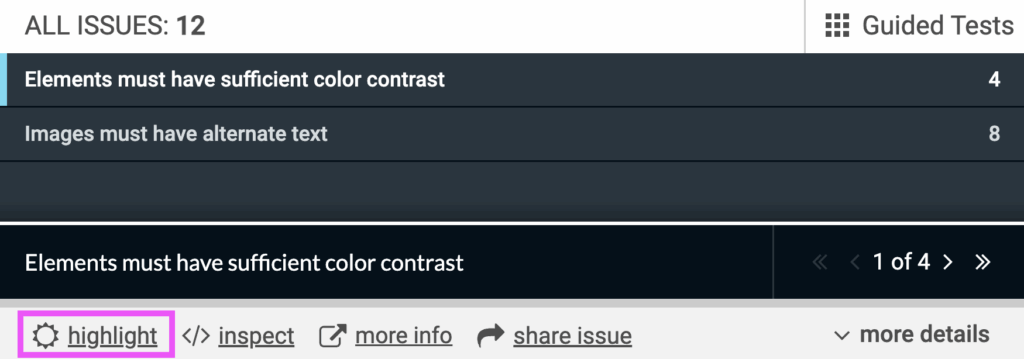
- Der Schalter „Highlight“ wurde in die Akkordeon-Ansicht der Problemkategorie verschoben.
- Vorher:
-
- Danach:
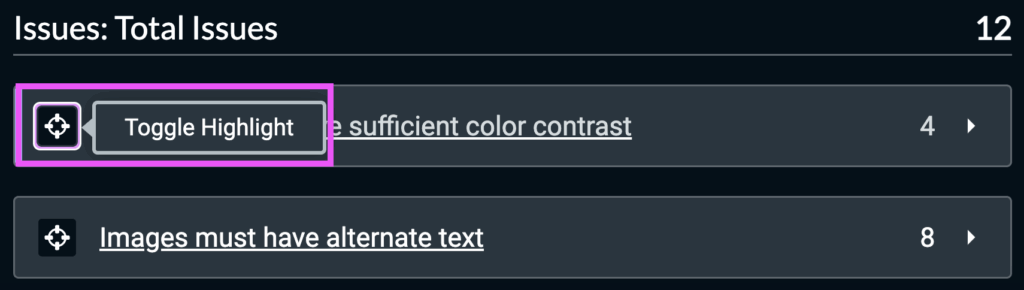
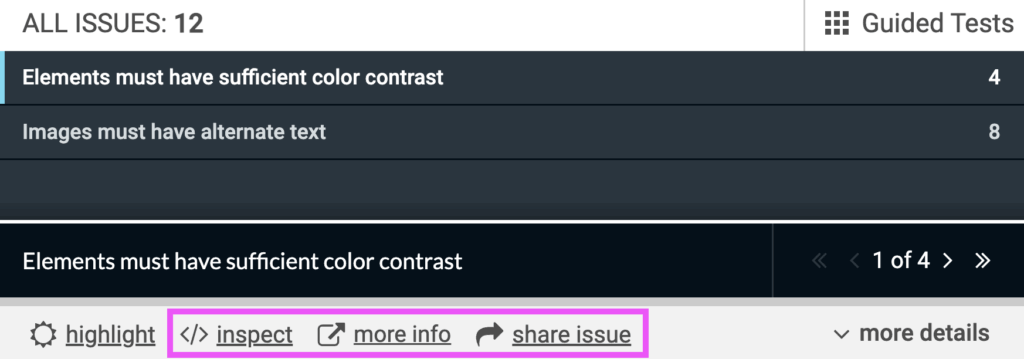
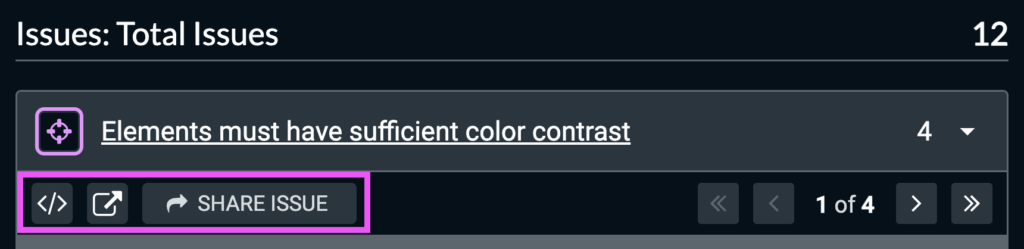
- Die Problemkategorien wurden in ein Akkordeon-Menü verschoben, das sich ausklappen lässt, um alle Problemdetails anzuzeigen, einschließlich der Schaltflächen zum „Überprüfen“, zum Anzeigen von „Weitere Informationen“ und zum „Teilen eines Problems“.
-
- Vorher:
-
- Danach:
Testen mehrerer Komponenten oder Zustände
Vor dieser Version konnten Nutzer ein bestimmtes IGT nur einmal pro Test ausführen. Wenn Sie beispielsweise zwei Modals testen wollten, mussten Sie die Ergebnisse des ersten Modals löschen, um das zweite zu testen, oder einen komplett neuen Test starten. Dies verlangsamte den Testprozess und erschwerte es den Nutzern, Seiten und/oder Seitenzustände innerhalb eines gespeicherten Tests vollständig zu testen. Außerdem war es dadurch schwierig, alle Ergebnisse für die Seite zusammenzufassen, da diese in verschiedenen gespeicherten Tests enthalten waren.
Nun können Benutzer denselben IGT mehrfach ausführen und die Ergebnisse jedes Durchlaufs speichern! Dies kann besonders nützlich sein, um Tests in logische Abschnitte zu unterteilen (z. B. alle interaktiven Elemente in der Navigation im Vergleich zu allen interaktiven Elementen im Hauptinhalt) und gleichzeitig alle Probleme nachverfolgen und/oder exportieren zu können.
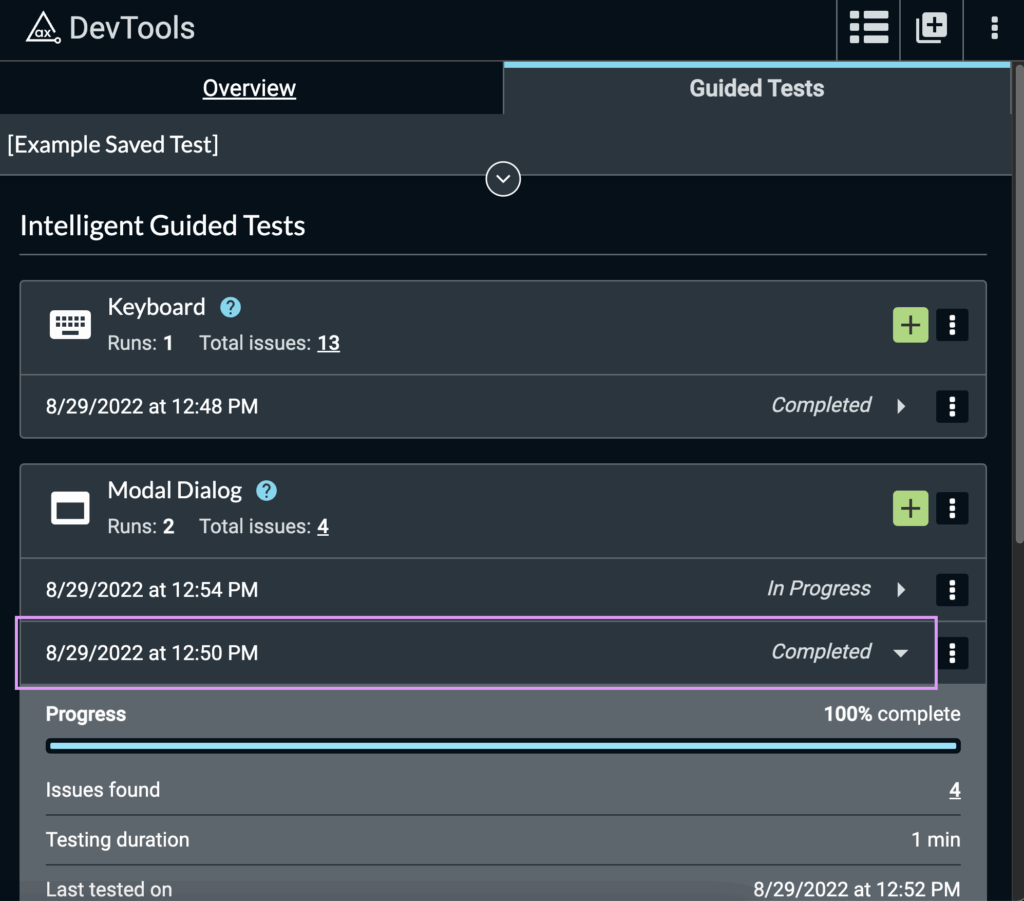
So führen Sie einen IGT mehrmals durch:
- Navigieren Sie zu einem bereits gespeicherten Test oder starten Sie einen neuen Scan und klicken Sie auf „TEST SPEICHERN“
- Klicken Sie auf die Registerkarte „Geführte Tests“
- Suchen Sie das gewünschte IGT und klicken Sie auf die Schaltfläche „Start“ (z. B. „Start Modal Dialog Run“ für das IGT „Modal Dialog“).
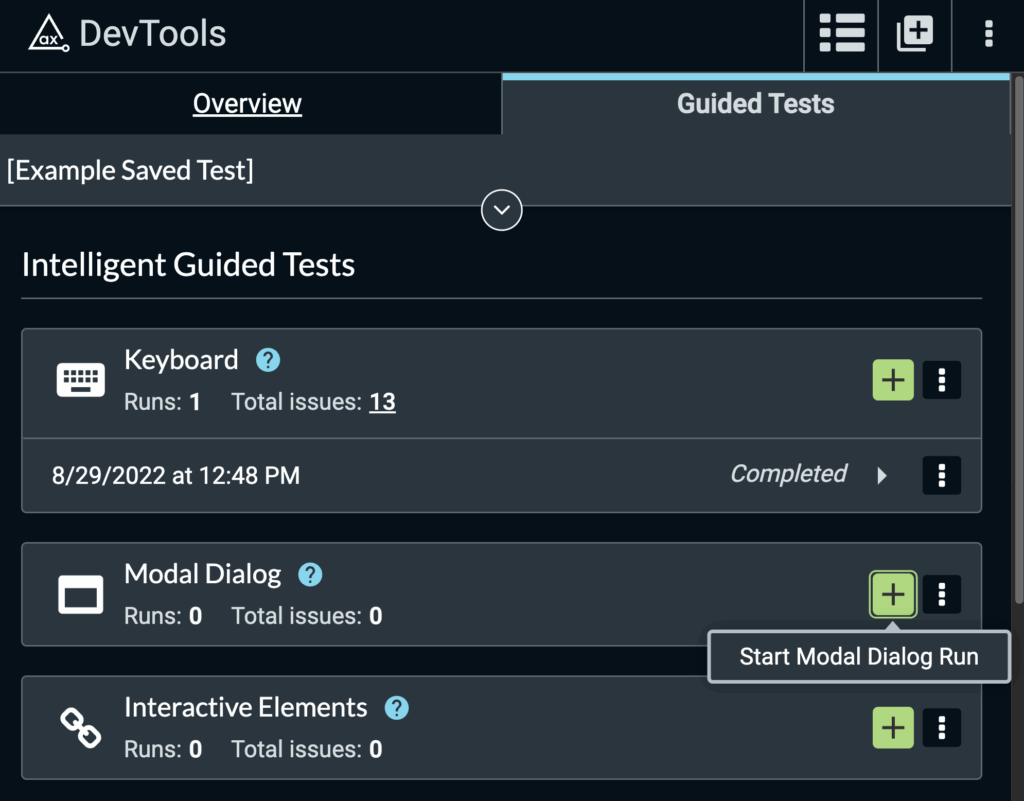
- Starten Sie den IGT und schließen Sie ihn entweder ab oder klicken Sie zu einem beliebigen Zeitpunkt während des IGT-Durchlaufs auf „Speichern und beenden“.
- Die Start-Schaltfläche bleibt in diesem IGT aktiv, sodass Benutzer einen neuen Durchlauf erstellen können, ohne den bestehenden löschen zu müssen
Fazit
Das Aufteilen der Tests einer komplexen Seite und das Testen mehrerer Instanzen von Komponenten wie Dialogfeldern und Formularen ist jetzt ganz einfach, wodurch Ihre Tests und die Verwaltung der Ergebnisse einfacher und effizienter werden!
Um eine Live-Demonstration der neuesten Updates der axe DevTools-Browsererweiterung zu sehen, nehmen Sie an diesem Webinar am 22. September teil.
Wir würden uns sehr über Ihr Feedback zu diesen neuen Funktionen freuen. Bitte senden Sie eine E-Mail an HelpDesk@deque.com, um uns Ihre Meinung mitzuteilen.
Falls Sie axe DevTools Pro derzeit noch nicht nutzen, melden Sie sich noch heute für Ihre kostenlose Testversion an (ohne Verpflichtung).