Das Testen nativer mobiler Apps auf Barrierefreiheit war noch nie so einfach. Mit WorldSpace Attest Mobile können Entwickler nativer mobiler Apps automatisierte Barrierefreiheitstests für ihren Code als Teil ihrer regulären Integrations- und Komponententestprozesse durchführen. WorldSpace Attest Mobile ist derzeit nur für Android und iOS verfügbar.
WorldSpace Attest Mobile funktioniert ähnlich wie unser bestehendes Testtool WorldSpace Attest und bietet dieselbe Effizienz, denselben Komfort und dieselbe Genauigkeit wie alle unsere WorldSpace-Tools. Das Ergebnis ist ein Tool, auf das Sie sich verlassen können und das Ihnen dabei hilft, Barrierefreiheitstests und Korrekturmaßnahmen in Ihren bestehenden Entwicklungsprozess zu integrieren.
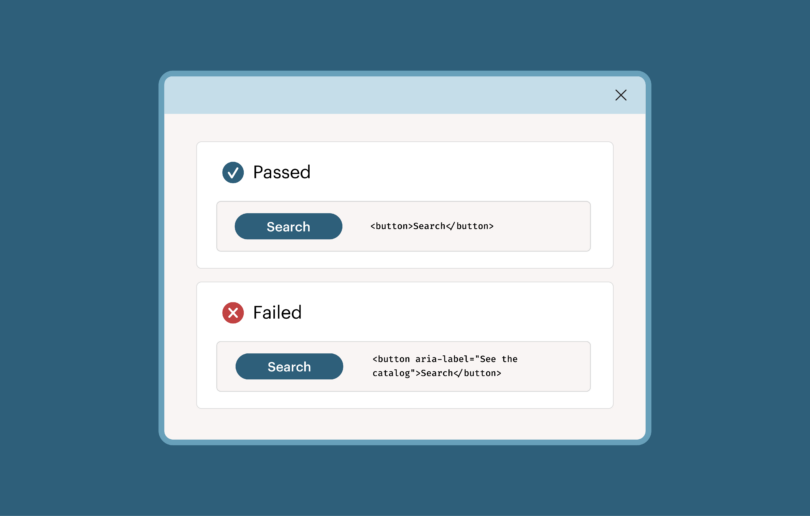
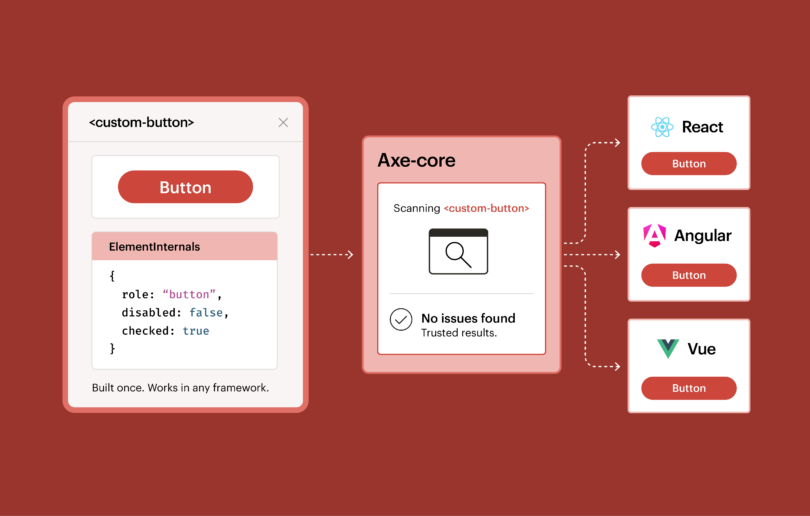
Attest Mobile analysiert native Android-Anwendungen hinsichtlich der Einhaltung von Barrierefreiheitsstandards, darunter die Web Content Accessibility Guidelines (WCAG) 2.0, Section 508 sowie alle benutzerdefinierten Regeln, die Ihr Mobile-Team möglicherweise anwenden muss. Die Regel-Engine von WorldSpace Attest Mobile basiert auf denselben Prinzipien wie unsere Open-Source-Regel-Engine „aXe-core “ (die kürzlich in einem der A11ycasts von Google vorgestellt wurde). Das bedeutet, dass Attest Mobile ausschließlich auf Barrierefreiheitsprobleme prüft, die durch automatisierte Tests zu 100 % genau ermittelt werden können – ohne Störsignale und ohne Fehlalarme.
Wie testet Attest Mobile meine Android-App auf Barrierefreiheit?
Attest Mobile läuft über eine sichere Anwendung auf dem Mobilgerät des Entwicklers, die mit einer entsprechenden Desktop-Anwendung verbunden ist, um detaillierte Berichte zu Barrierefreiheitsproblemen bereitzustellen, einschließlich ausführlicher Problembeschreibungen und Anleitungen zur Behebung von der „Deque -Universität“. Der Zugriff auf die Attest Mobile-Anwendung erfolgt über das Barrierefreiheitsmenü Ihres Android-Geräts als Barrierefreiheits-„Dienst“.
Ähnlich wie WorldSpace Attest lässt sich auch WorldSpace Attest Mobile in Ihre regulären Unit- und Integrationstests integrieren, sodass Probleme bei der Barrierefreiheit genauso regelmäßig behoben werden können wie alle anderen funktionalen Probleme.
Kann ich nicht einfach den Barrierefreiheits-Scanner von Google verwenden?
Sie können den Barrierefreiheits-Scanner von Google durchaus als Teil Ihres Testprozesses für die Barrierefreiheit auf Android nutzen. Der Scanner von Google hilft Ihnen dabei, sicherzustellen, dass Ihre App mit dem TalkBack-Dienst von Google effektiv bedient werden kann. TalkBack ist ein in alle Android-Geräte integrierter Bildschirmleser und eine große Hilfe für Android-Nutzer mit Sehbehinderungen. Leider hilft der aktuelle Barrierefreiheits-Scanner wirklich nur bei der Barrierefreiheit im Zusammenhang mit TalkBack. So bietet er beispielsweise kaum Unterstützung beim Aufspüren von Barrierefreiheitsproblemen, die Nutzer mit Sehbehinderungen betreffen, die die Benutzeroberfläche der App vergrößern und heranzoomen müssen, Menschen mit motorischen Einschränkungen, die möglicherweise Schwierigkeiten mit verschiedenen Touch-Funktionen haben, Menschen mit Hörbehinderungen, die möglicherweise nicht mit Audioanweisungen oder Sprachbefehlen interagieren können, oder Probleme, die mobile assistive Technologien außer TalkBack betreffen.
WorldSpace Attest Mobile prüft auf Barrierefreiheitsprobleme, die alle Nutzer und die in den WCAG behandelten assistiven Technologien betreffen, einschließlich TalkBack-Nutzer. Wenn Sie die Barrierefreiheit für alle Android-Nutzer sicherstellen möchten, ist Attest Mobile das richtige Tool für Sie.
Wie kann ich mir WorldSpace Attest Mobile in Aktion ansehen?
Wir vereinbaren gerne jederzeit einen Termin für eine Vorführung mit Ihnen und Ihrem Team!