Für Verantwortliche im Bereich Barrierefreiheit ist es entscheidend, die wichtigsten Punkte zu ermitteln und diejenigen Korrekturen vorrangig zu behandeln, die von den Entwicklerteams realistisch umgesetzt werden können. Nur so lassen sich echte Fortschritte erzielen.
Durch die Nutzung unserer neuen Axe Monitor MCP-Integration in Ihrem bevorzugten KI-Assistenten können Sie nun mithilfe von Befehlen in natürlicher Sprache den Prozess der Erstellung und des Vergleichs von Scans, der Priorisierung von Korrekturen sowie der Erstellung und Bereitstellung umsetzbarer Sprint-Pläne zur Barrierefreiheit erheblich beschleunigen.
Hier sind vier Möglichkeiten, wie Sie die Behebung von Barrierefreiheitsproblemen mithilfe der Axe Monitor MCP-Integration optimieren können.
Fordern Sie noch heute eine Demo zur Integration von Axe Monitor MCP an!
1. Vergleichen Sie die Ergebnisse der Scan-Durchläufe und erkennen Sie Regressionen innerhalb von Sekunden
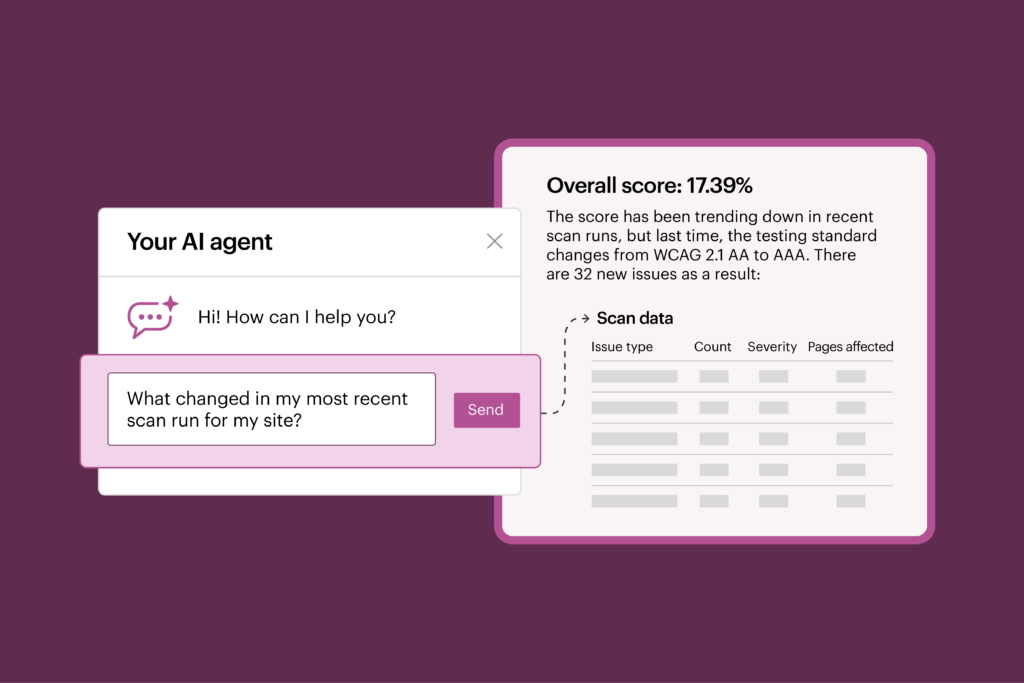
Die erste Frage, auf die Sie nach jedem Scan-Durchlauf eine Antwort benötigen, lautet: „Was hat sich geändert?“
Bei einer herkömmlichen Benutzeroberfläche müssen Sie mehrere Berichte manuell öffnen, historische Daten vergleichen und die Ergebnisse analysieren – das ist ein mühsamer Prozess.
Dank der Integration von Axe Monitor MCP können Sie Ihre Fragen einfach direkt stellen und Ihre Scandaten untersuchen, ohne Ihren KI-Workflow verlassen zu müssen. Anstatt durch Dashboards zu navigieren und Tabellen zu exportieren, stellen Sie Fragen wie:
- Was hat sich zwischen den letzten beiden Scan-Durchläufen geändert?
- Welche Komponenten oder Seiten haben die meisten neuen Probleme verursacht?
Die MCP-Integration liefert Antworten – was sich geändert hat und warum – direkt in Ihrem KI-Assistenten und macht so die aufwendige Datenanalyse überflüssig, die die Behebung von Problemen verzögert. Anstatt Zeit mit der Suche nach Informationen zu verbringen, kann Ihr Team sofort Maßnahmen ergreifen.
2. Setzen Sie Prioritäten für das, was am wichtigsten ist
Teams sind selten in der Lage, alle Probleme im Bereich der Barrierefreiheit sofort in einem einzigen Release zu beheben. Daher ist es wichtig, sich zunächst auf die Behebung der richtigen Probleme zu konzentrieren. Sie benötigen das Fachwissen Ihres Teams, müssen ihm aber auch dabei helfen, Probleme leichter zu beheben.
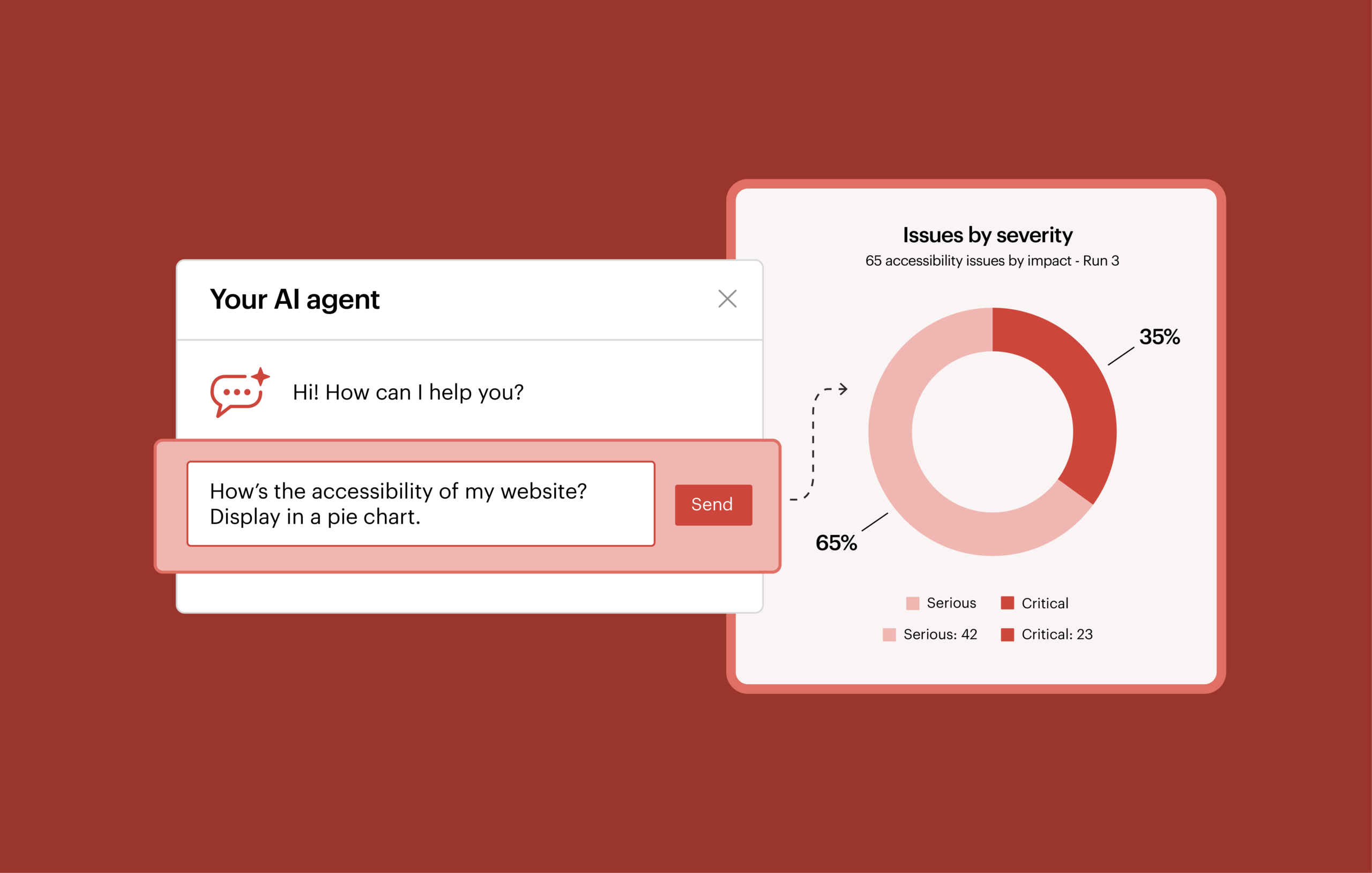
Der Axe Monitor MCP Server ergänzt die menschliche Beurteilung und ermöglicht es Ihnen, Fragen zur Priorisierung, die normalerweise stundenlange Analysen erfordern, schnell zu beantworten.
Du kannst zum Beispiel fragen:
- Welche Komponenten oder Selektoren sollte ich zuerst optimieren, um die Barrierefreiheit am stärksten zu verbessern?
- Auf welchen Seiten treten die meisten Probleme hinsichtlich der Barrierefreiheit auf?
- Mein Team wird im nächsten Sprint neue Funktionen auf der Registrierungsseite und der Kontaktseite entwickeln. Welche Probleme im Bereich der Barrierefreiheit sollten dabei gleichzeitig behoben werden?
- Meine meistbesuchten Seiten sind das Konto-Dashboard und die Aktivitätsansicht. Welche Probleme hinsichtlich der Barrierefreiheit sollte ich zuerst beheben?
Die daraus gewonnenen Erkenntnisse können Ihnen dabei helfen, die Arbeit Ihrer Entwickler und Designer im Vorfeld der kommenden Sprints gezielt auszurichten, sodass Barrierefreiheitsaspekte entweder in die laufenden Arbeiten integriert oder aus Effizienzgründen gebündelt werden. Auf diese Weise können Sie bei der Barrierefreiheit bedeutende Fortschritte erzielen – indem Sie Korrekturen in bestehende Tools und Prozesse integrieren.
3. Beschleunigung der Übergabe an die Entwicklung durch umsetzbare Sprint-Pläne zur Barrierefreiheit
Sobald Sie die zu behebenden Probleme nach Priorität geordnet haben, besteht die nächste Herausforderung darin, dem Team einen umsetzbaren Plan vorzulegen.
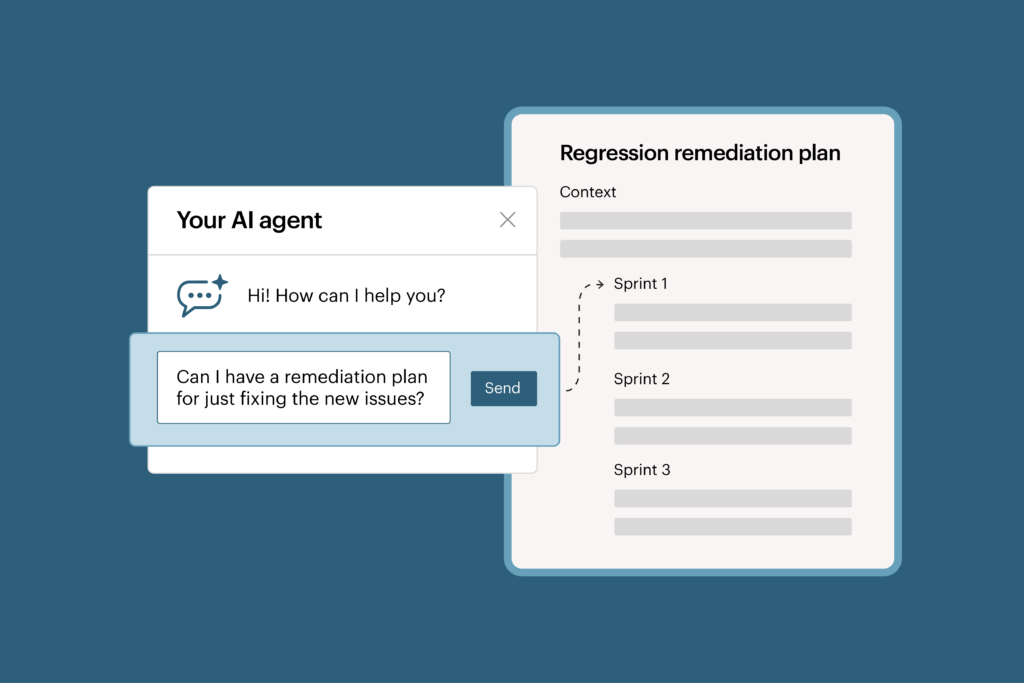
Die Integration von Axe Monitor MCP kann dabei helfen, Sanierungsszenarien zu modellieren und auf der Grundlage der Ziele Ihres Teams realisierbare Sprintpläne zu erstellen.
Beispielsweise könnten Sie einen Sprintplan anfordern, um Folgendes zu beheben:
- Nur die neuen Ausgaben seit dem letzten Scan-Durchlauf
- Die wichtigsten Probleme im Zusammenhang mit den Komponenten
- Barrierefreiheitsprobleme bei den Funktionen, die wir in der nächsten Version bereitstellen werden
Sagen Sie dem Mitarbeiter: „Ich benötige alle Details zum Problem, damit mein Team genau weiß, was und wo es behoben werden muss.“
Oder nutzen Sie die Axe Monitor MCP-Integration, um verschiedene Planungsszenarien zur Erreichung Ihrer Ziele zu modellieren. Fragen Sie den Agenten: „Wie können wir in drei Sprints eine Punktzahl von 80 % erreichen?“
Anstatt Hunderte oder Tausende von Problemen manuell zu organisieren, hilft die Axe Monitor MCP-Integration dabei, die Scan-Ergebnisse in einen klaren, verständlichen Behebungsplan umzuwandeln, der nach Sprints gegliedert ist und sich in Ihren KI-Workflow integrieren lässt.
Sprintpläne in natürlicher Sprache machen Fortschritte bei der Barrierefreiheit leichter erreichbar. Das Entwicklungsteam kann sich vorstellen, wie Erfolg in naher Zukunft konkret aussehen wird, und versteht, welche kleinen, überschaubaren Schritte dafür erforderlich sind.
4. Sparen Sie noch mehr Zeit, indem Sie Scans in großen Mengen erstellen
Die Integration von Axe Monitor MCP trägt zudem zur Optimierung des Scan-Managements bei, da Sie damit Scans in großen Mengen erstellen können.
Beauftragte Administratoren können direkt in ihrem KI-Assistenten Scan-Entwürfe erstellen, Einstellungen anpassen und Scan-Läufe starten. Dadurch wird der Aufwand für sich wiederholende Konfigurationsarbeiten reduziert.
Erste Schritte mit der Axe Monitor MCP-Integration
Teams für Barrierefreiheit benötigen schnellere Wege, um Daten zur Barrierefreiheit in sinnvolle Maßnahmen umzusetzen.
Anstatt stundenlang Scan-Ergebnisse auszuwerten und Berichte selbst zu erstellen, kann sich Ihre Organisation auf das Wesentliche konzentrieren – nämlich die Barrierefreiheit für Menschen mit Behinderungen zu verbessern.
Nutzen Sie Axe Monitor bereits? Führen Sie ein Upgrade auf Axe Monitor 8.8 durch und füllen Sie dieses Formular aus, um Zugriff auf den Axe Monitor MCP-Server zu beantragen und mit der Analyse von Barrierefreiheitsdaten über Ihren bevorzugten KI-Assistenten zu beginnen.
Sind Sie neu bei Axe Monitor? Fordern Sie eine Demo an, um zu erfahren, wie KI-gestützte Berichte Ihrem Team dabei helfen können, Trends zu analysieren, Abhilfemaßnahmen zu priorisieren und Verbesserungen der Barrierefreiheit zu beschleunigen.