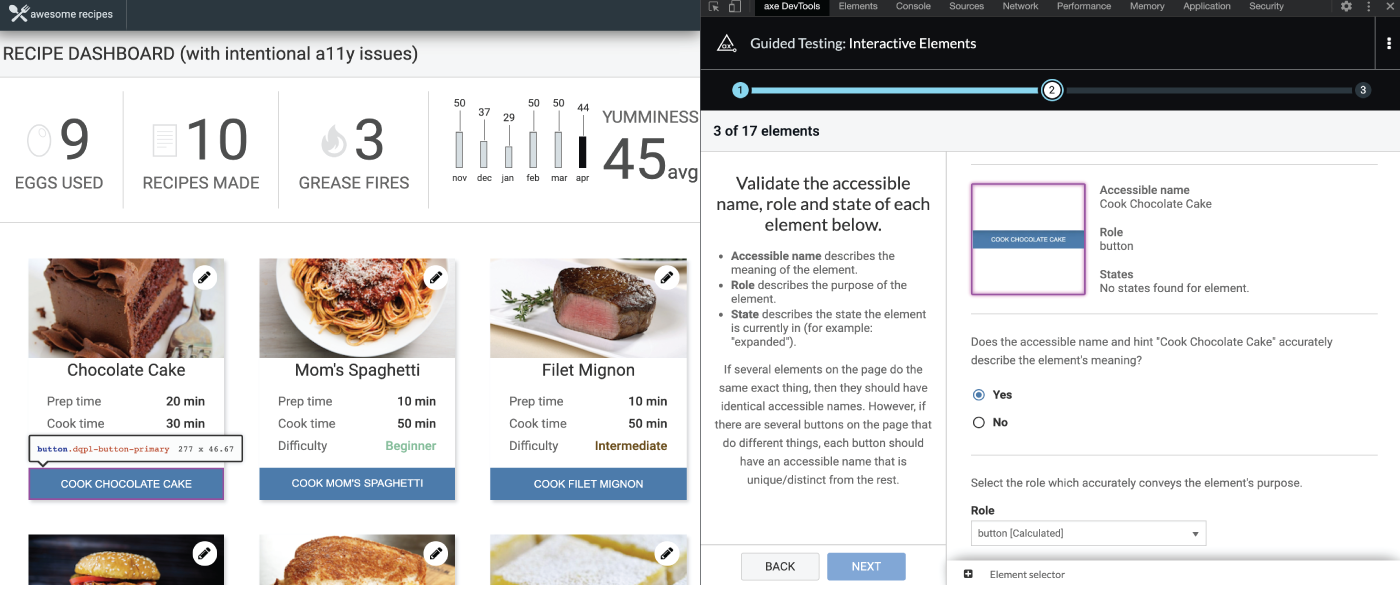
Ahoi! Die Version 4.11.0 der Browser-Erweiterung „axe DevTools“ hält einige spannende Neuerungen bereit. Diese Version erhöht die Testabdeckung und liefert eine klare Antwort auf eine der am häufigsten gestellten Fragen: „Was muss noch getestet werden?“
„Interaktive Elemente“ (IGT) ersetzt „Schaltflächen und Links“
Wir haben den Anwendungsbereich erheblich erweitert, daher ist es an der Zeit für eine Namensänderung. Dieses IGT umfasst nun alle interaktiven Elemente, nicht mehr nur Schaltflächen und Links.
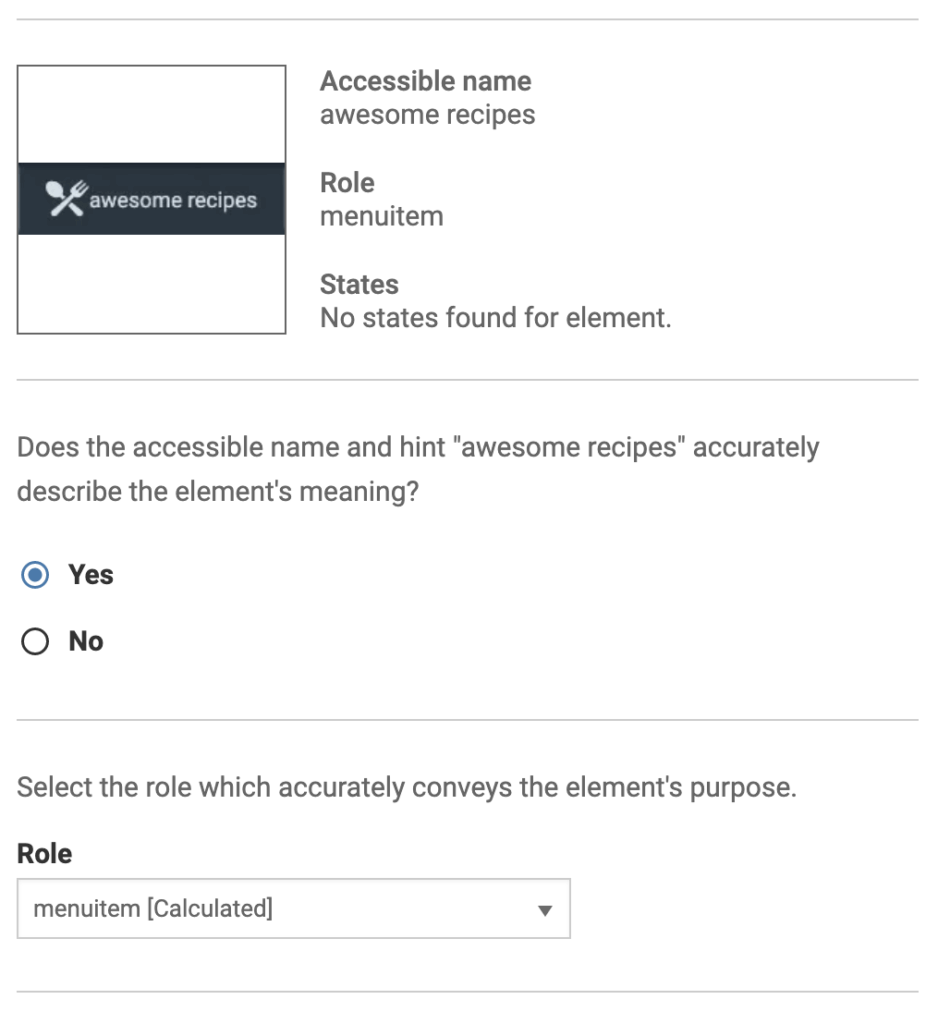
Mit der Browser-Erweiterung „axe DevTools“ können Sie alle relevanten Widget-Rollen der Benutzeroberfläche auswählen, wie z. B. Benachrichtigungen, Raster, Menüs, Fortschrittsbalken, Bildlaufleisten und vieles mehr. Unsere Heuristiken erkennen und klassifizieren diese Widget-Typen automatisch auf Ihrer Seite. Die automatische Klassifizierung entlastet Sie erheblich und beschleunigt Ihren Testprozess. Das IGT identifiziert den Namen, die Rolle und den Zustandswert der von unserem Heuristik-Algorithmus gefundenen Elemente, sodass Sie diese überprüfen und Lücken schnell erkennen können. Im folgenden Screenshot sehen Sie beispielsweise eine erkannte „menuitem“-Rolle, bei der Sie die Richtigkeit des Namens leicht überprüfen können.
Der „Intelligent Guided Test“ für interaktive Elemente zeigt nun auch den Namen, die Rolle und den Zustandswert in jedem Zustand eines interaktiven Elements an. Wenn beispielsweise das Menü aufgeklappt ist und der Wert nicht den Zustand „aufgeklappt“ widerspiegelt, werden Sie auf diese Abweichung hingewiesen. Während Sie die verschiedenen Zustände jedes Elements durchlaufen, können Sie nun überprüfen, ob der Zustandswert tatsächlich den aktuellen Zustand widerspiegelt. Der folgende Screenshot zeigt die verschiedenen Zustände, die Sie durchlaufen können, um die Richtigkeit der Zustände zu überprüfen.
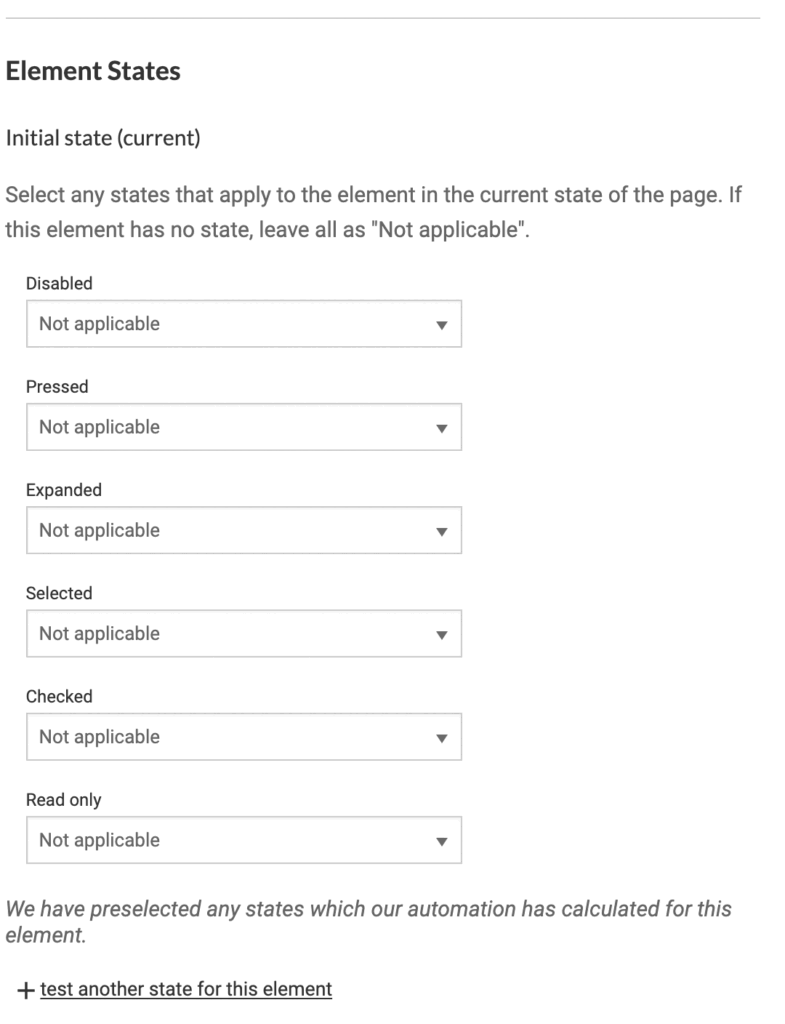
Jetzt können Sie alle interaktiven Elemente/Widgets auf Ihrer Seite in jedem Zustand testen!
Auf dem Weg zu 100 %: Was muss noch getestet werden?
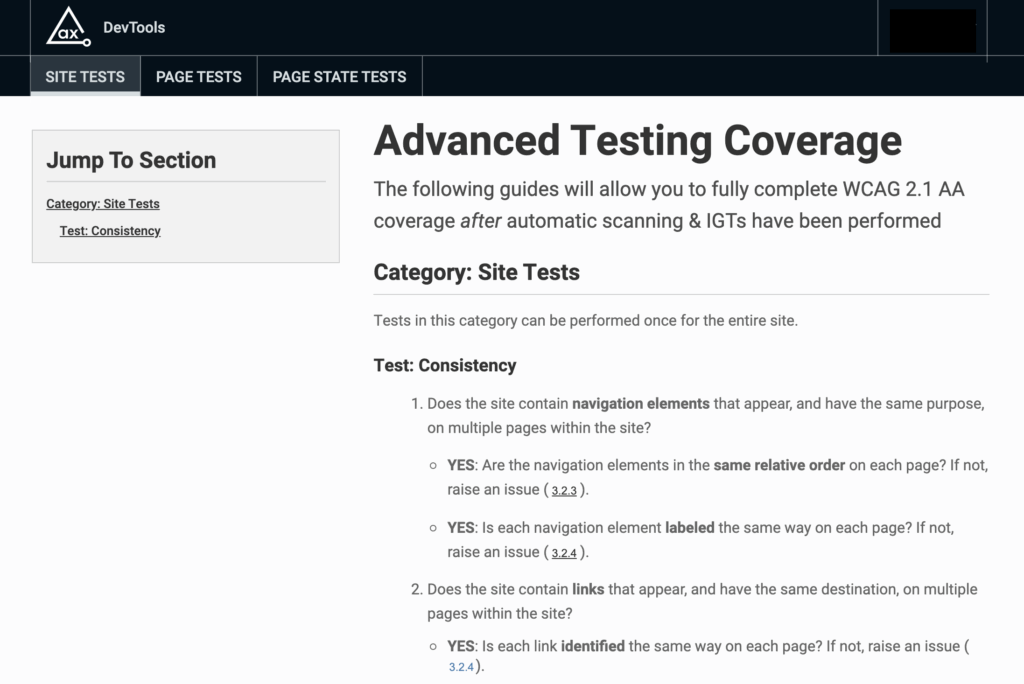
Ach, die immer wiederkehrende Frage: „Wie hoch ist die Testabdeckung durch automatisierte und intelligent gesteuerte Tests mit axe DevTools Pro bieten?“ Wir haben mit vielen von euch gesprochen und erfahren, dass das, was ihr wirklich wusstet: „Was bleibt noch zu testen, wenn ich mit automatisierten Tests und IGT fertig bin?“ Das erfahrt ihr jetzt mit nur einem Klick. „Was bleibt noch zu testen?“ ist Teil dieser Version!
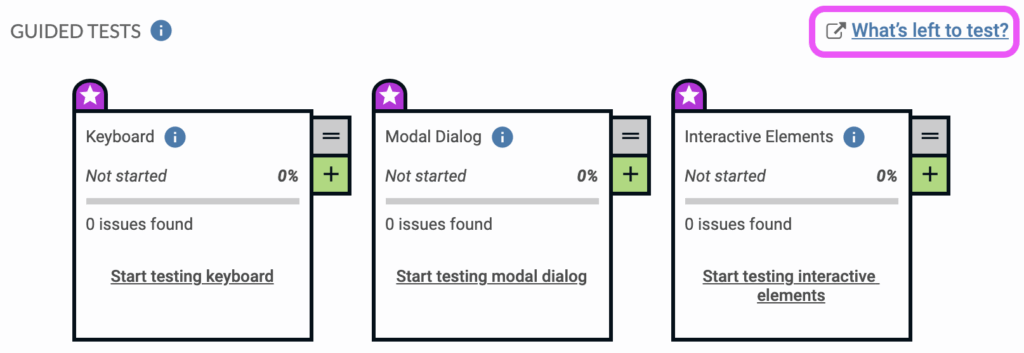
Nachdem Sie Ihre IGTs abgeschlossen haben, klicken Sie auf den Link, um zu einer übersichtlichen, leicht verständlichen Anleitung zu gelangen, die Ihnen erklärt, wie Sie alle verbleibenden WCAG 2.1-Konformitätstests durchführen. Sie können nun 100 % der Prüfpunkte der Stufen A und AA für den aktuellen Zustand Ihrer Seite in axe DevTools Pro einsehen und beheben!
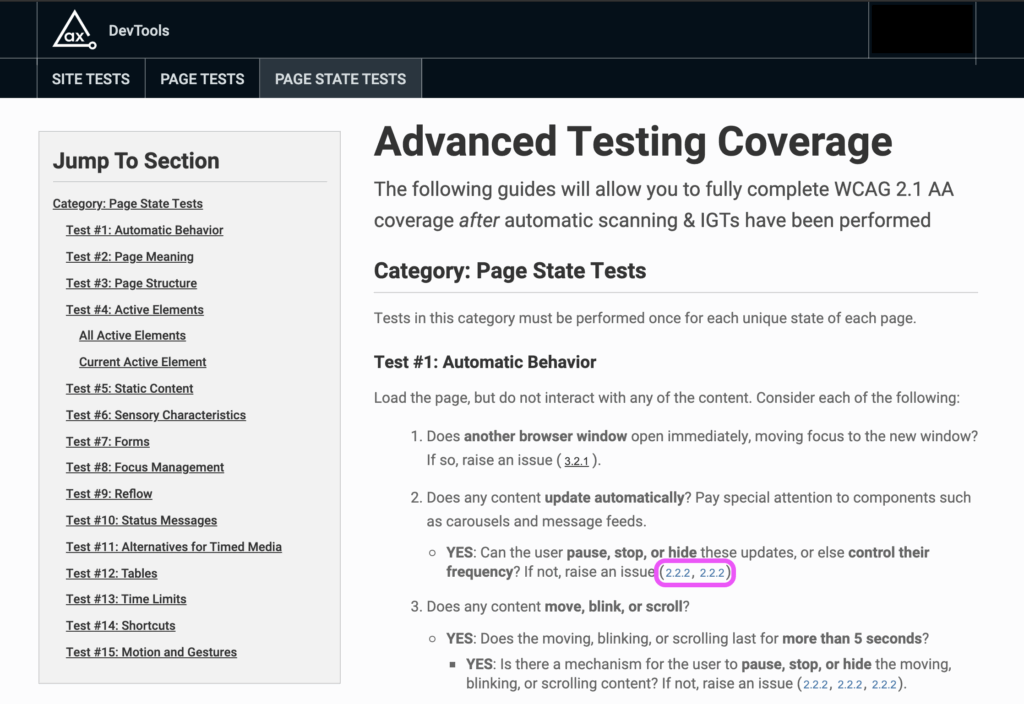
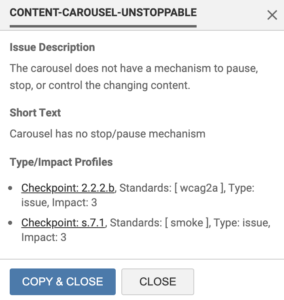
Sollten Sie Fehler feststellen, können Sie diese ganz einfach melden, indem Sie auf den Link zum jeweiligen Prüfpunkt klicken (z. B.: 2.2.2 oben). Es öffnet sich ein Fenster mit allen Details zum Fehler. Klicken Sie unten auf „Kopieren und schließen“ – die Details werden dann in Ihre Zwischenablage kopiert. Sie können diesen Fehler nun in axe Auditor oder direkt in JIRA melden – oder beides!
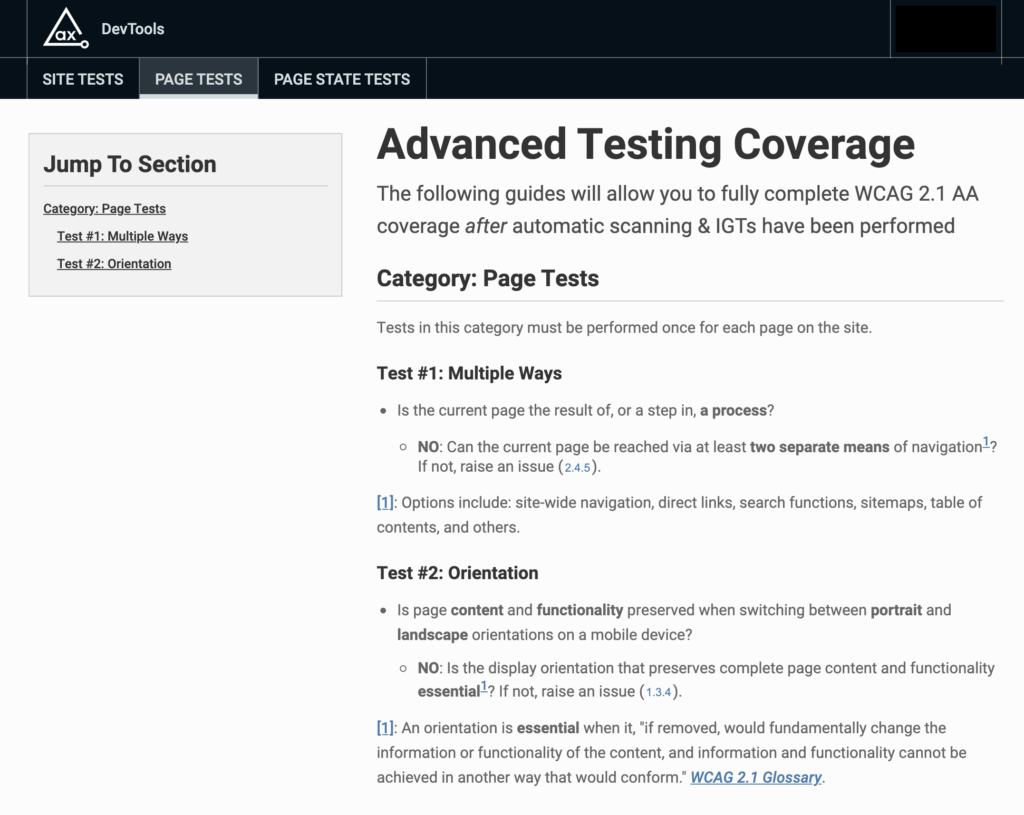
Führen Sie als Nächstes Ihre Tests für Elemente durch, die pro Seite nur einmal getestet werden müssen.
Und führen Sie abschließend Ihre Website-Tests durch, um eine Abdeckung von 100 % für Ihre App oder Website zu erreichen.
Axe-core 4.2.2
Diese Version enthält ein Update der Regel-Engine auf „ axe-core “ 4.2.2, einschließlich Fehlerbehebungen. Weitere Informationen finden Sie unter den Blogbeitrag zu axe-core 4.2. Hier sind jedoch einige nennenswerte Fehlerbehebungen:
- IGTs starten/fahren nicht fort, wenn DevTools angedockt/abgedockt werden
- Die Auswahl nach Bereich funktioniert in vielen Fällen nicht ordnungsgemäß
- Bewährte Verfahren werden nicht aus den Ergebnissen herausgefiltert
Denken Sie daran: Wenn Sie axe DevTools Pro derzeit noch nicht nutzen, können Sie barrierefreiere Nutzererlebnisse schaffen und einer Abdeckung von 100 % näher kommen! Melden Sie sich noch heute für eine kostenlose Testversion an.